DMS 2.0: DankMaterialShell is now Dux Shell
DMS 2.0
2He4.0026isenberg
DankMaterialShell is now Dux Shell, and Dank Linux is now Dux Labs.
DMS 2.0 "Heisenberg" is here with a new design across the shell, plugins for Dash and OmegaDock, the new Dux Dot, and much deeper compositor support for Hyprland, MangoWC, and newly added, Aqueous. There's a customizable lock screen, the Dux Lyrical Engine, and Dux Files, a new standalone file manager.
DankMaterialShell is now Dux Shell
DMS started as one shell. Since then it has picked up a greeter, a system monitor, a search service, a calendar, a package repository, and a plugin community, and 2.0 adds a file manager. That's a lot to keep calling DankMaterialShell, so the whole suite is moving under one name: Dux Labs.
| Before | Now |
|---|---|
| Dank Linux | Dux Labs |
| DankMaterialShell | Dux Shell |
| DankGreeter | Dux Greeter |
| DankSearch | Dux Search |
| DankGOP | Dux GOP |
| DankCalendar | Dux Calendar |
| DankLinux repository | Dux Labs repository |
| new | Dux Files |
It's the same team and the same projects. The shell is still DMS, and the command is still dms.
Why "Dux"?
Dux is our mascot, and the name is a nod to Tux, the Linux penguin. It's short, it's not taken by any major software projects, it starts with a D so we don't have to rename the binaries (dms, dcal, dgop), and it gives a friendlier vibe than "Dank" did.
The new GitHub org is duxlabs-dev. The package repositories move shortly after launch. Details are in the repositories section at the end.
A new design
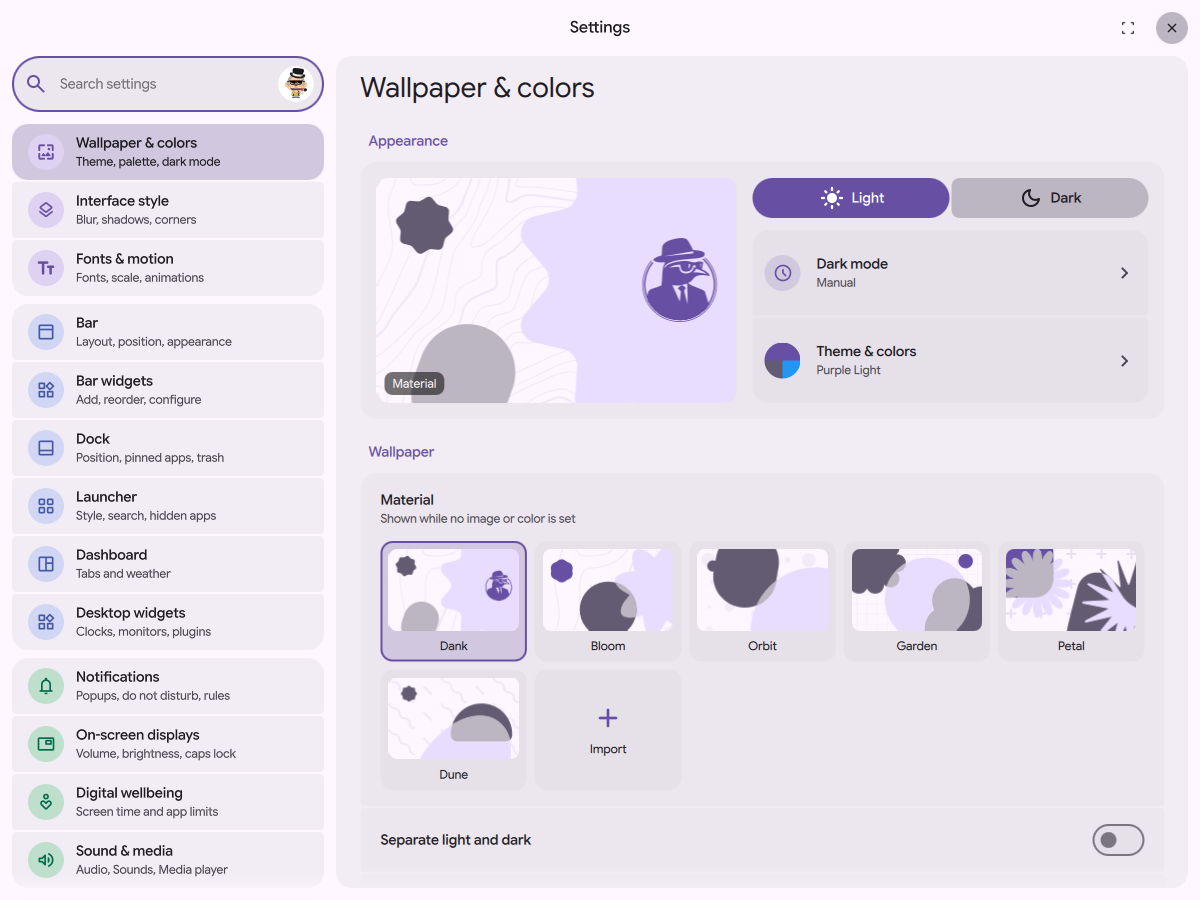
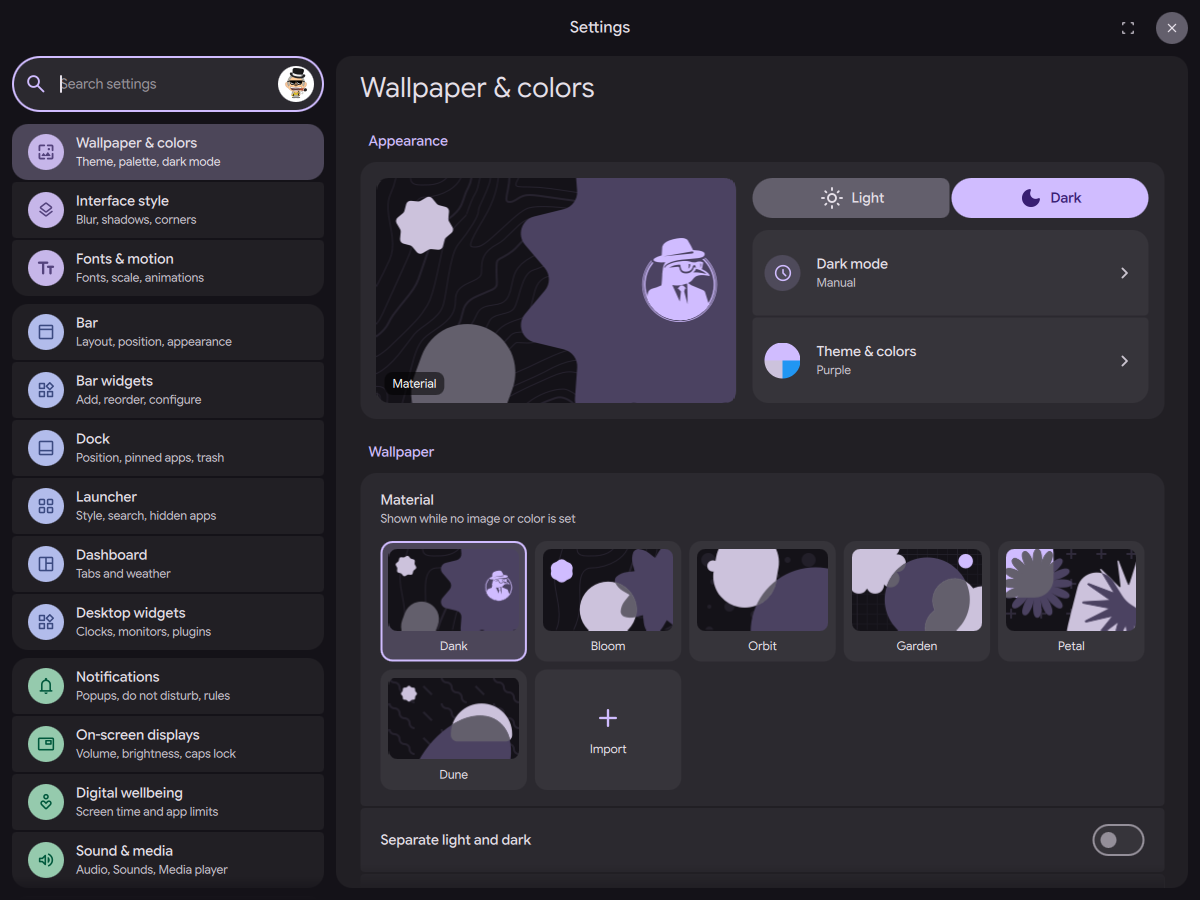
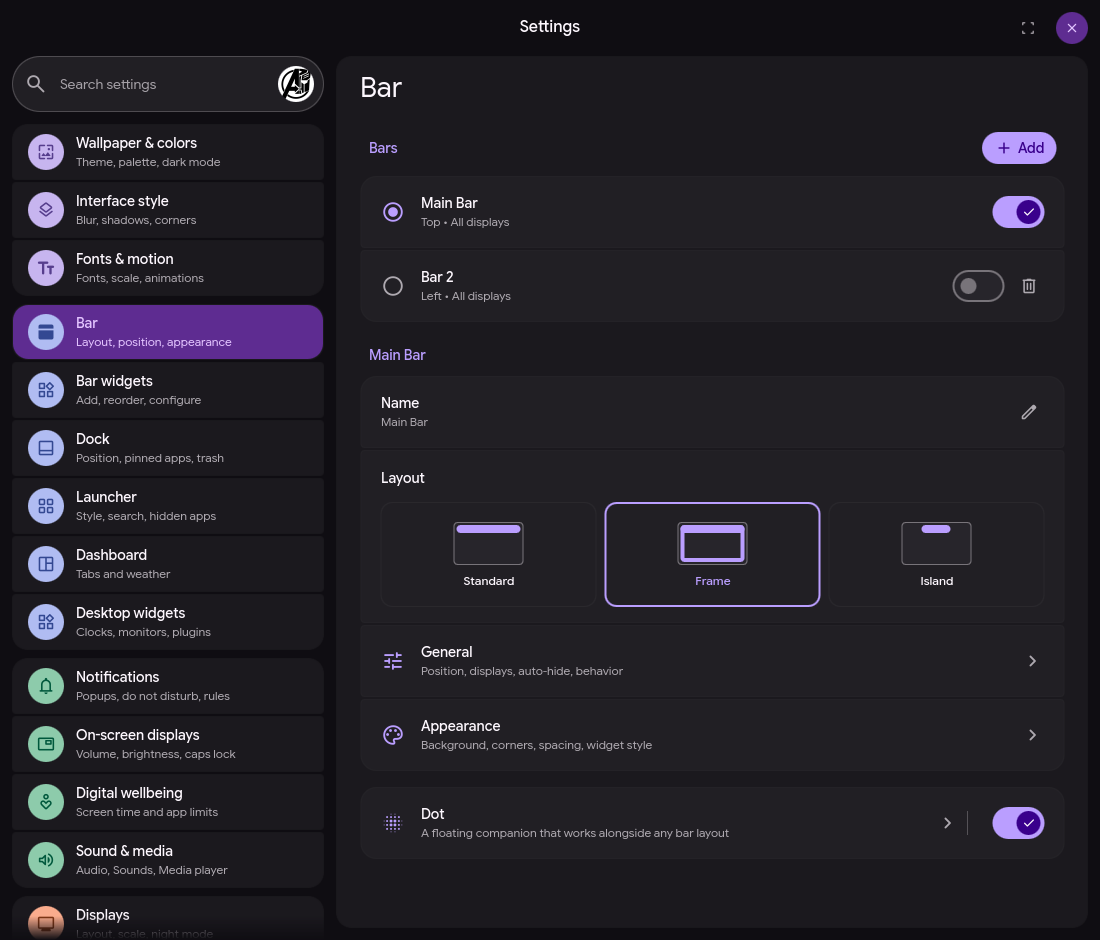
2.0 brings Material 3 Expressive to Settings, Control Center, Dash, and the shared widgets, with new controls, grouped settings, new navigation, colors, and motion.
Settings is reorganized so things live where you'd look for them. Bar widgets have their own options, Dash has its own page, and related settings open in subpages.
Dash plugins
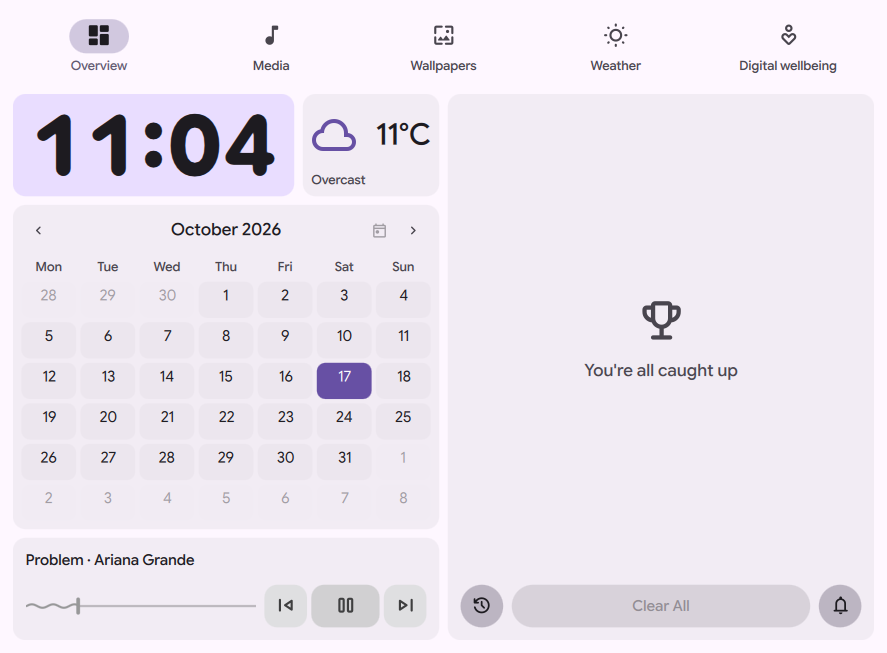
Dash is now customizable beyond the built-in tabs. Plugins can add a full tab, a card in the overview, or both. Reorder and resize cards, choose what belongs in your overview, and configure each entry.
The built-in pages have been rebuilt too: the overview, media player, weather, and wallpapers all use the new design.
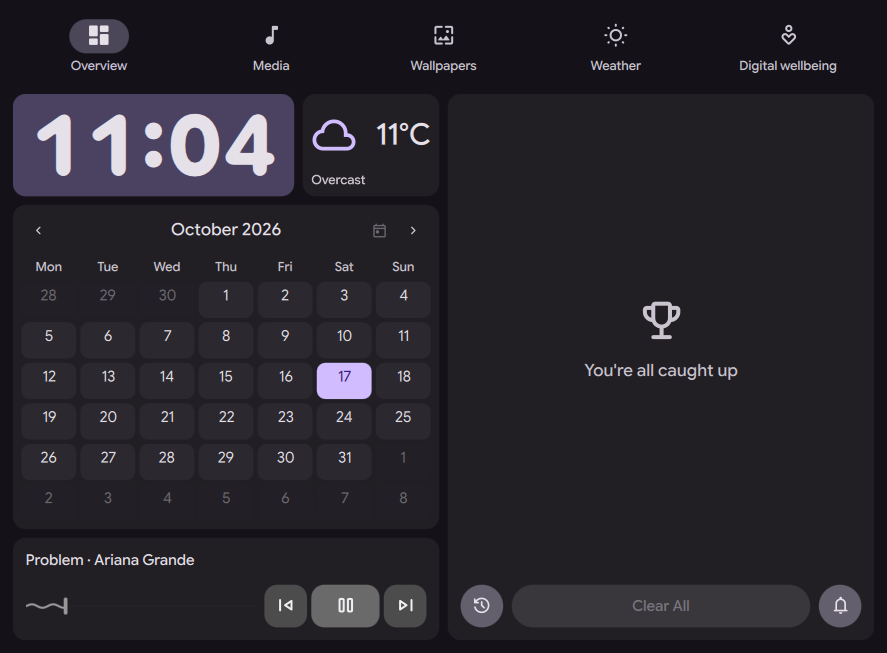
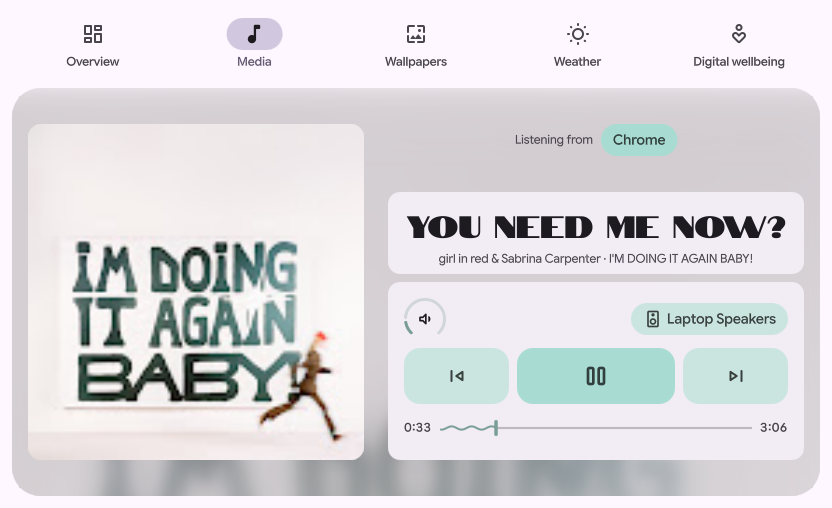
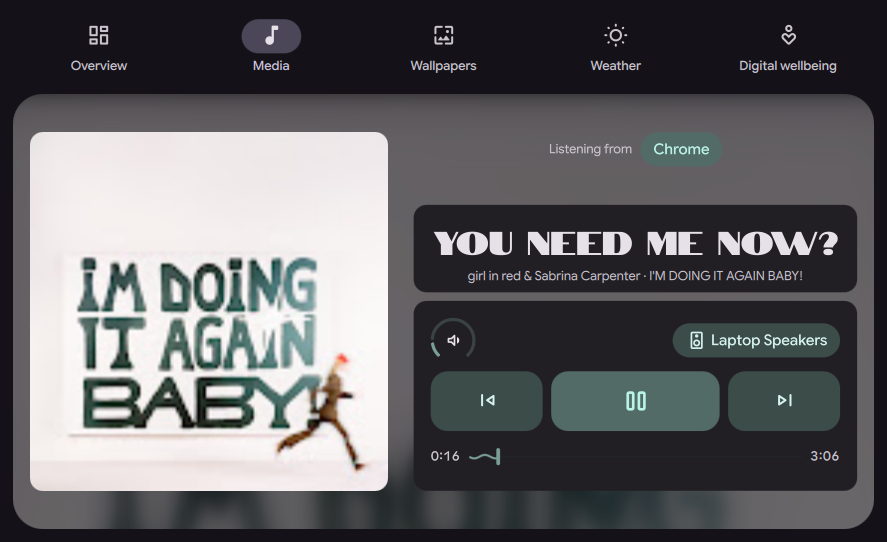
For plugin authors, the new surfaces are dash and dashCard. A composite plugin can provide both. See the Dash plugin docs for manifests, options, sizing, and examples.
Build your own lock screen
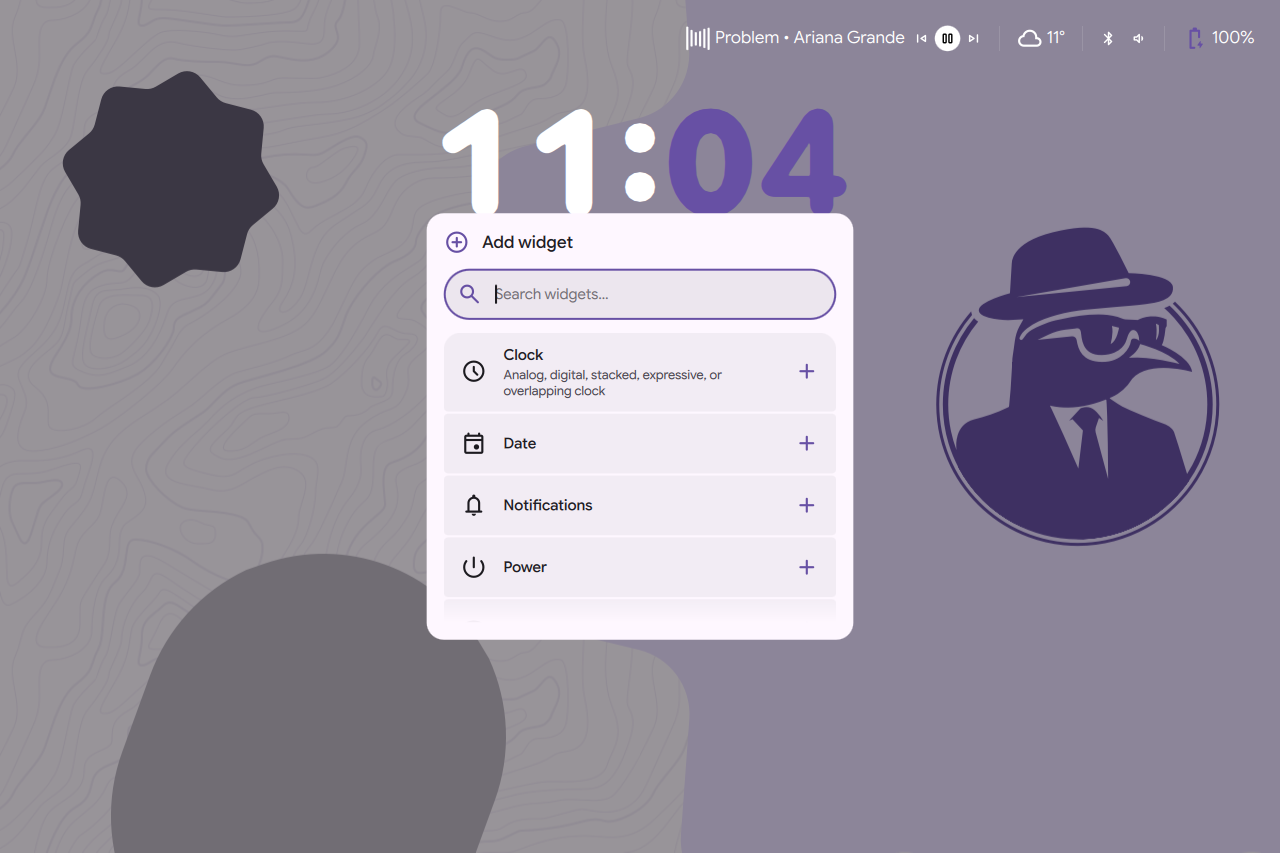
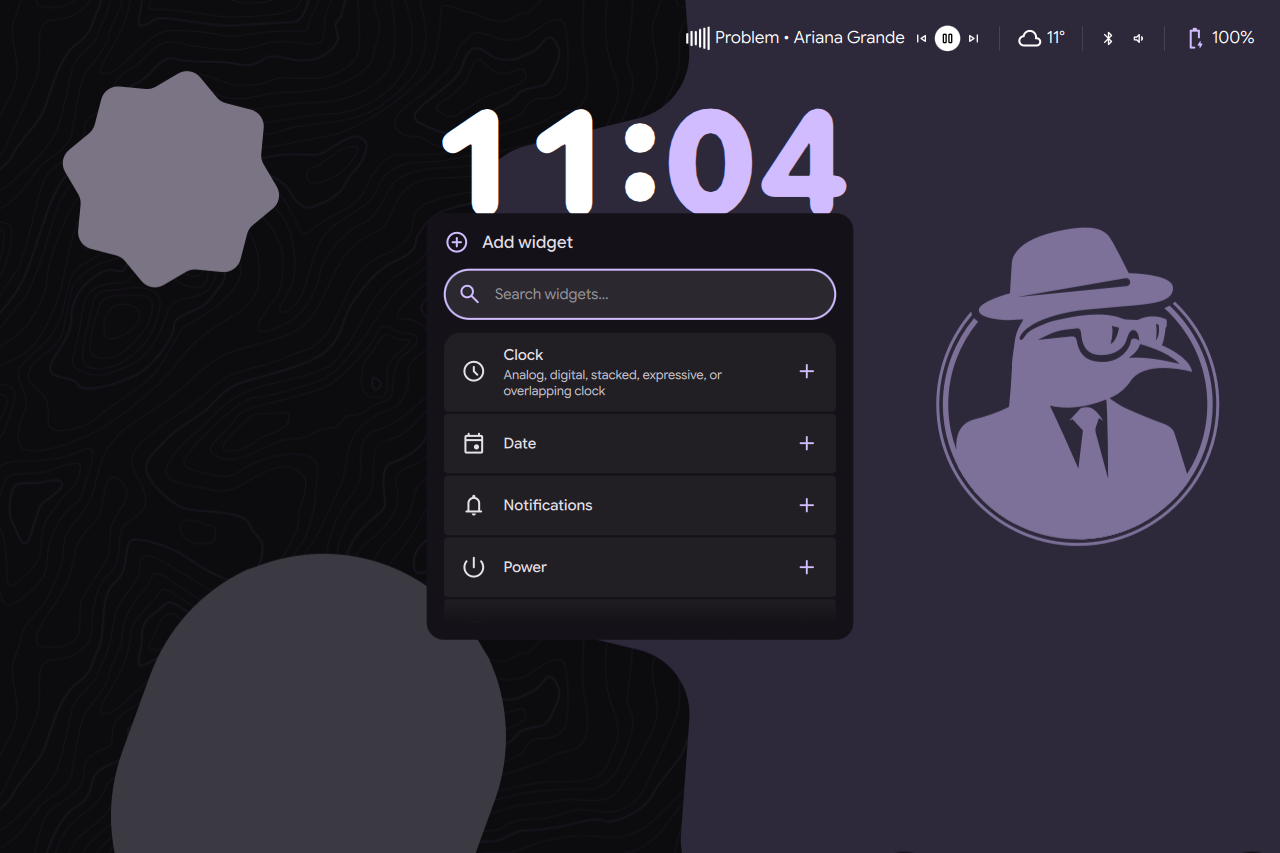
The lock screen now uses widgets. Add, move, resize, and configure the clock, date, notifications, status, and power controls. Choose a clock style, change its colors and font, and put things where you want them.
The editor gives you a preview while you make changes. Open Settings → Security → Lock screen to get started.
Dux Lyrical Engine
The media player now has synced lyrics with word-level and even syllable-level precision when the source provides timing.
Choose your providers and drag them into priority order in Settings → Sound & media → Media player. The built-in sources include Better Lyrics, Unison, LyricsPlus, KuGou, LRCLIB, and YouTube Music. Local lyrics are supported too. Turn all providers off to use local lyrics only.
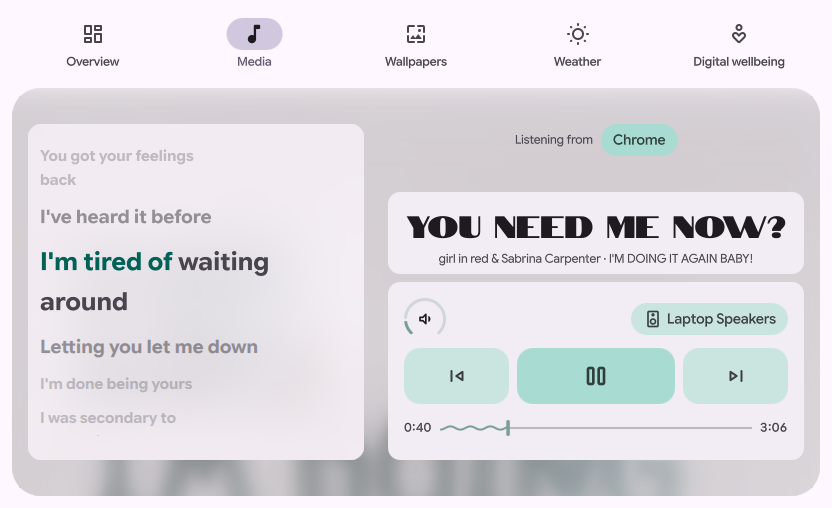
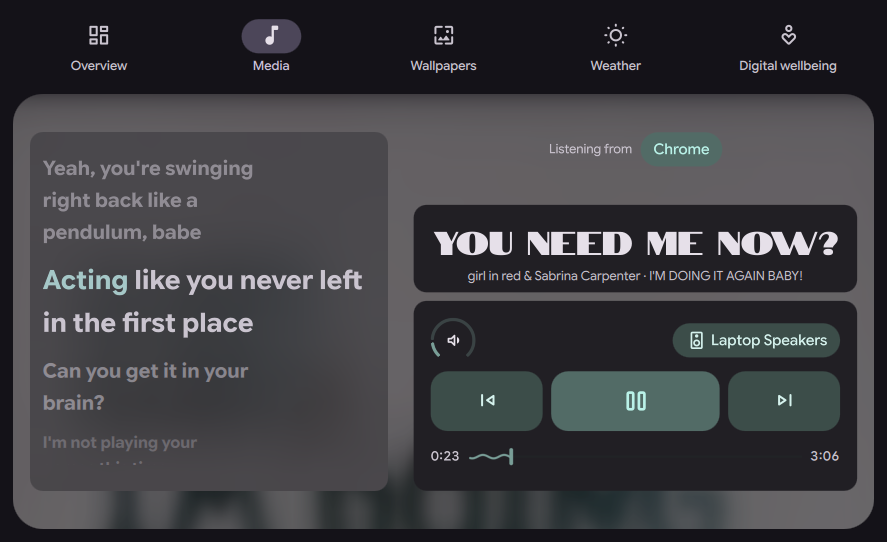
Plugins can add lyrics providers without needing a QML interface. Widgets can also use the lyrics service for their own displays. See lyrics providers and the lyrics API.
Dux Files
Dux Files is a new file manager from Dux Labs, shipping alongside 2.0. It's a standalone app: a small Go daemon does the file work and a Quickshell window sits on top. It shares the look of the shell and follows your DMS theme when both run, but it doesn't need DMS.
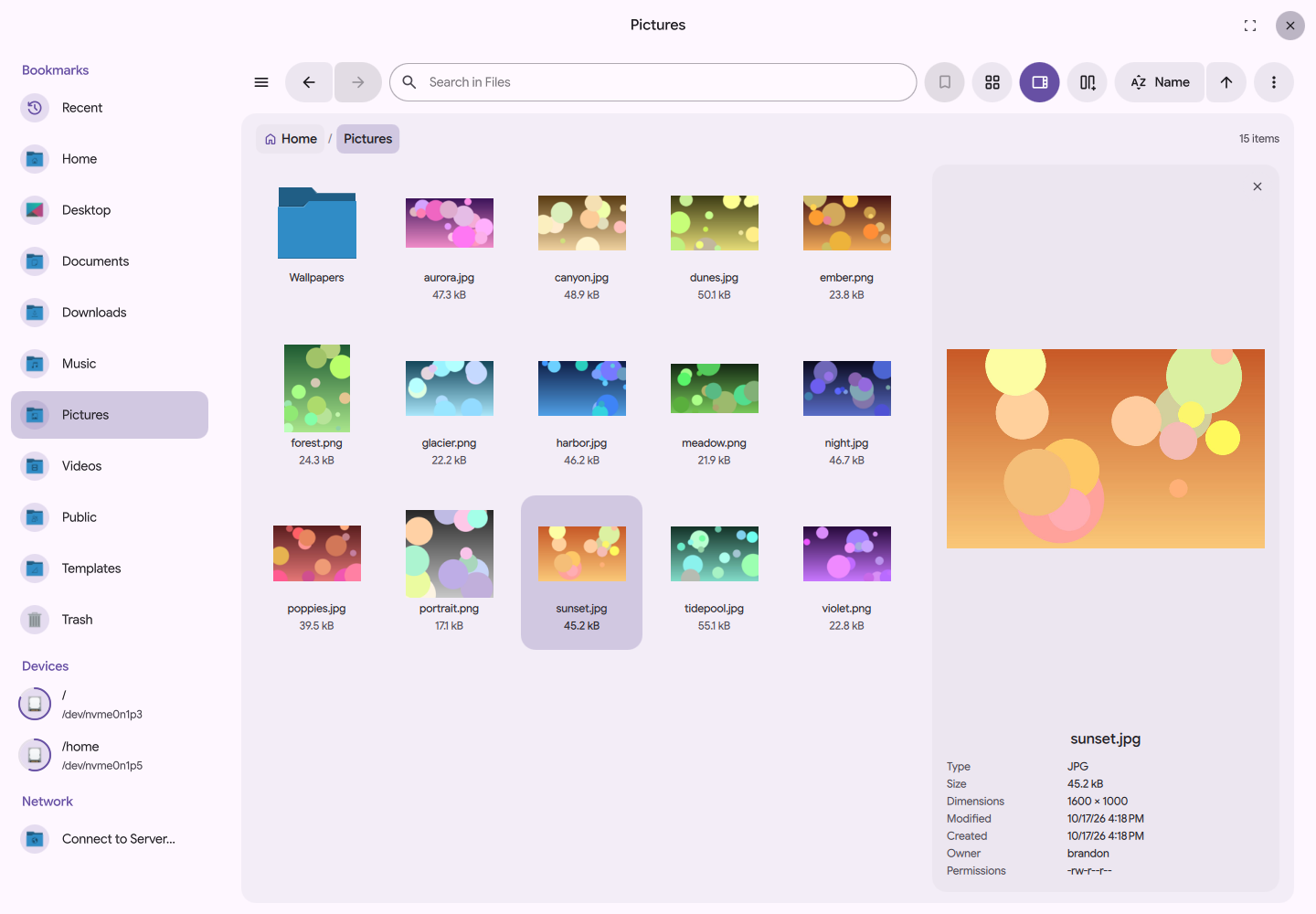
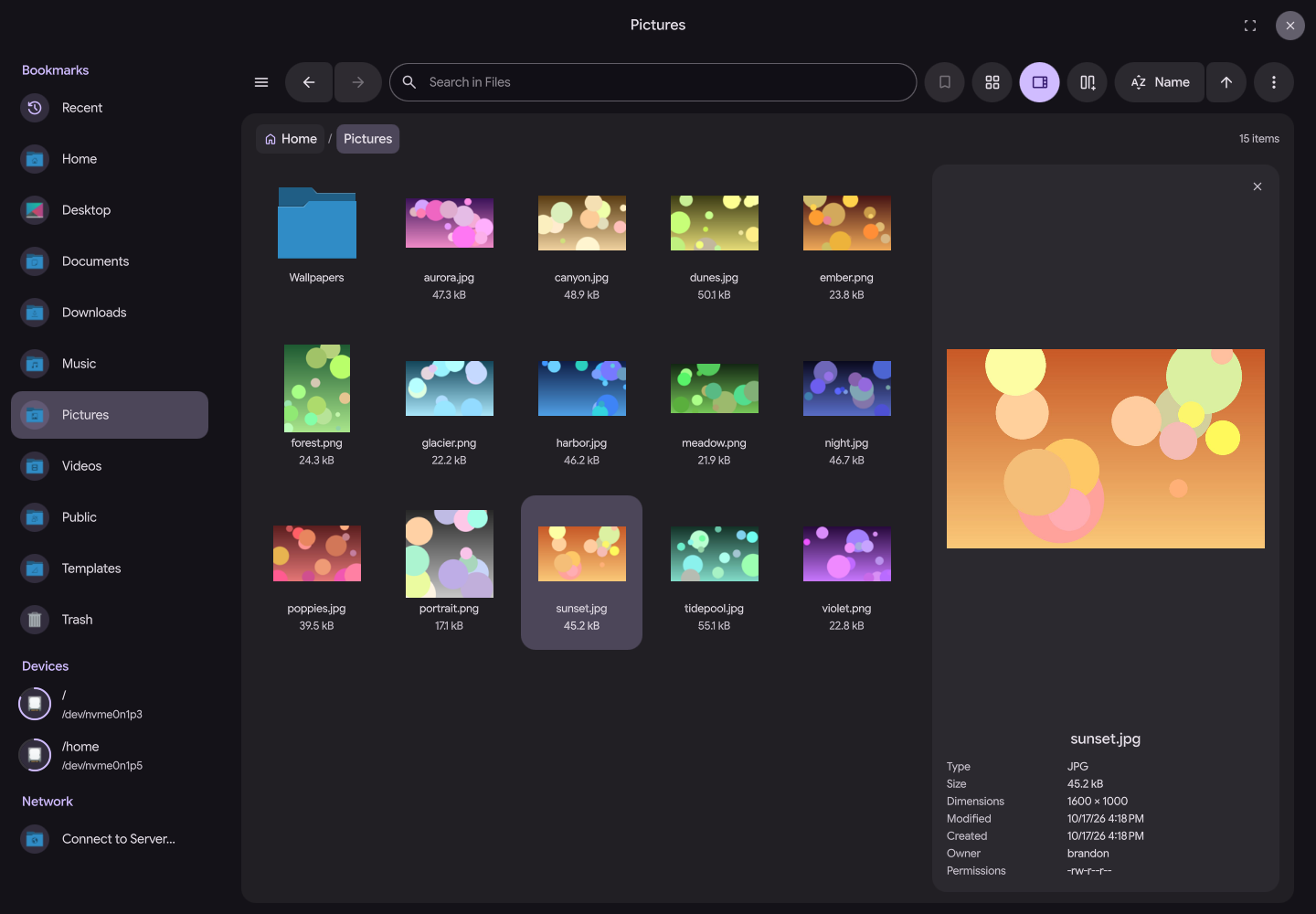
- Tabs and split view: open folders in tabs, or show two folders side by side and drag files between them.
- List, grid, and column views: each folder remembers its sort order and list or grid view. Column view stays on as you browse.
- Preview: press Space to see a preview and details of the selected file next to the list.
- File operations: copy, move, rename, and delete with progress and undo. If you don't have permission, retry as administrator.
- Archives: open zip, tar, 7z, and rar files, and compress files into zip or tar, without installing extra tools.
- Search: search the current folder or your whole home, filtered by type, date, or size.
- Drives and network shares: mount USB drives, unlock encrypted ones, and connect to SFTP, SMB, and WebDAV servers.
- Works with your apps: "Show in folder" from your browser opens Dux Files. It can also replace the open and save dialogs in other apps.
- Keyboard navigation: drive the entire interface with the keyboard only.
Get it from the installation guide, and read the rest in the Dux Files docs.
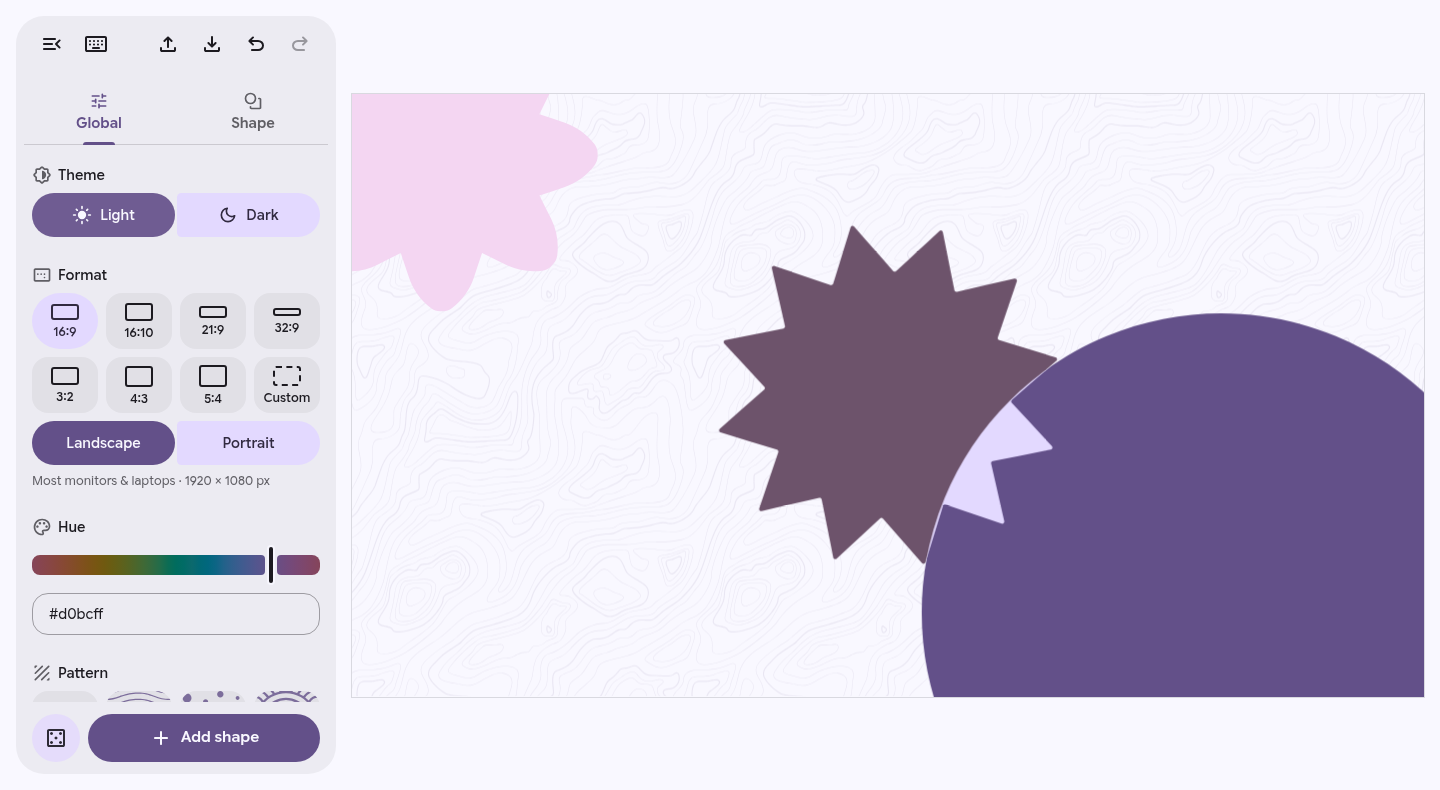
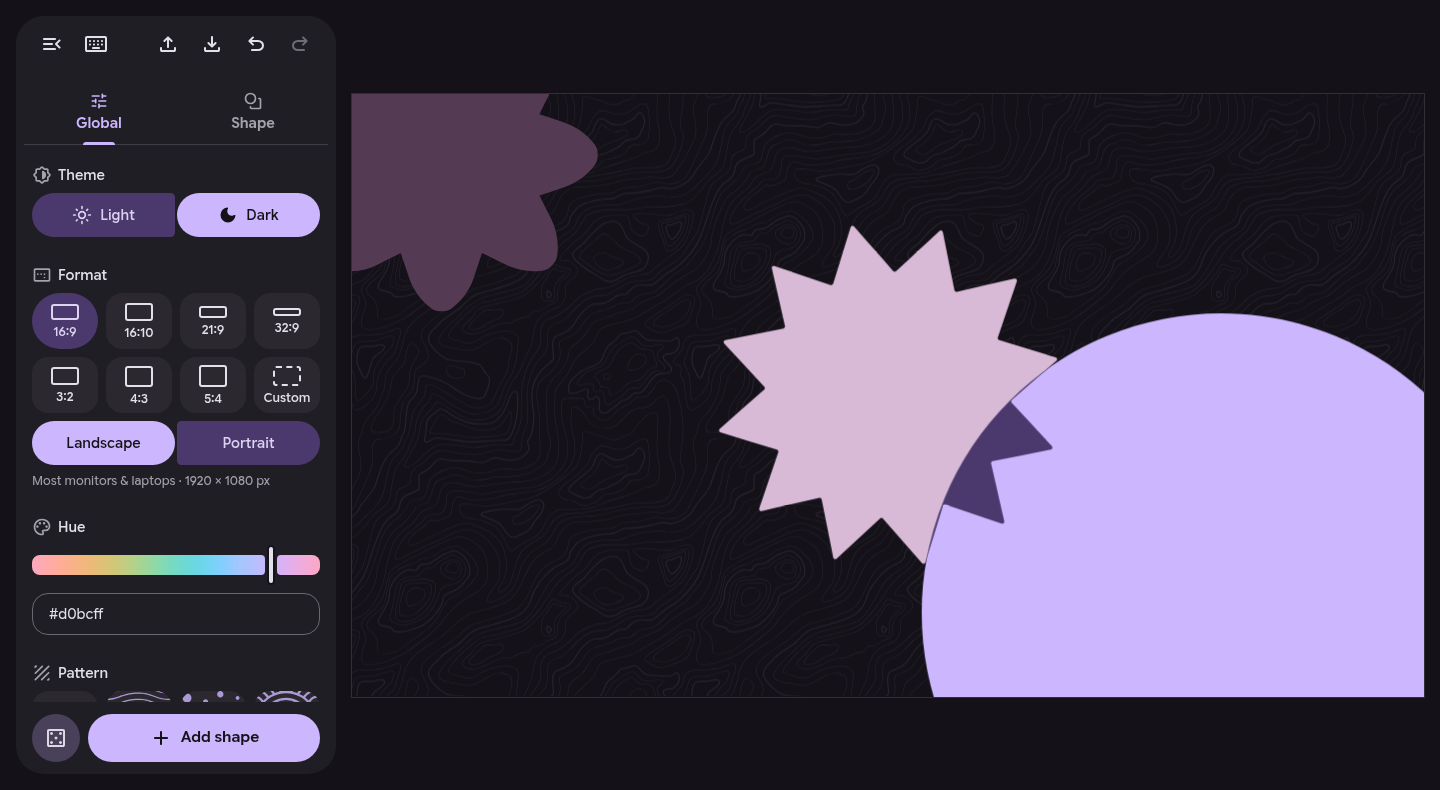
Wallpaper Generator
Make your own Material 3 wallpaper at wallpaper.duxlabs.dev. Pick shapes, patterns, and a palette. Wallpapers can be exported as a PNG, or as a DMS format which automatically follows your theme colors.
Operation Freedom: Dux Dot
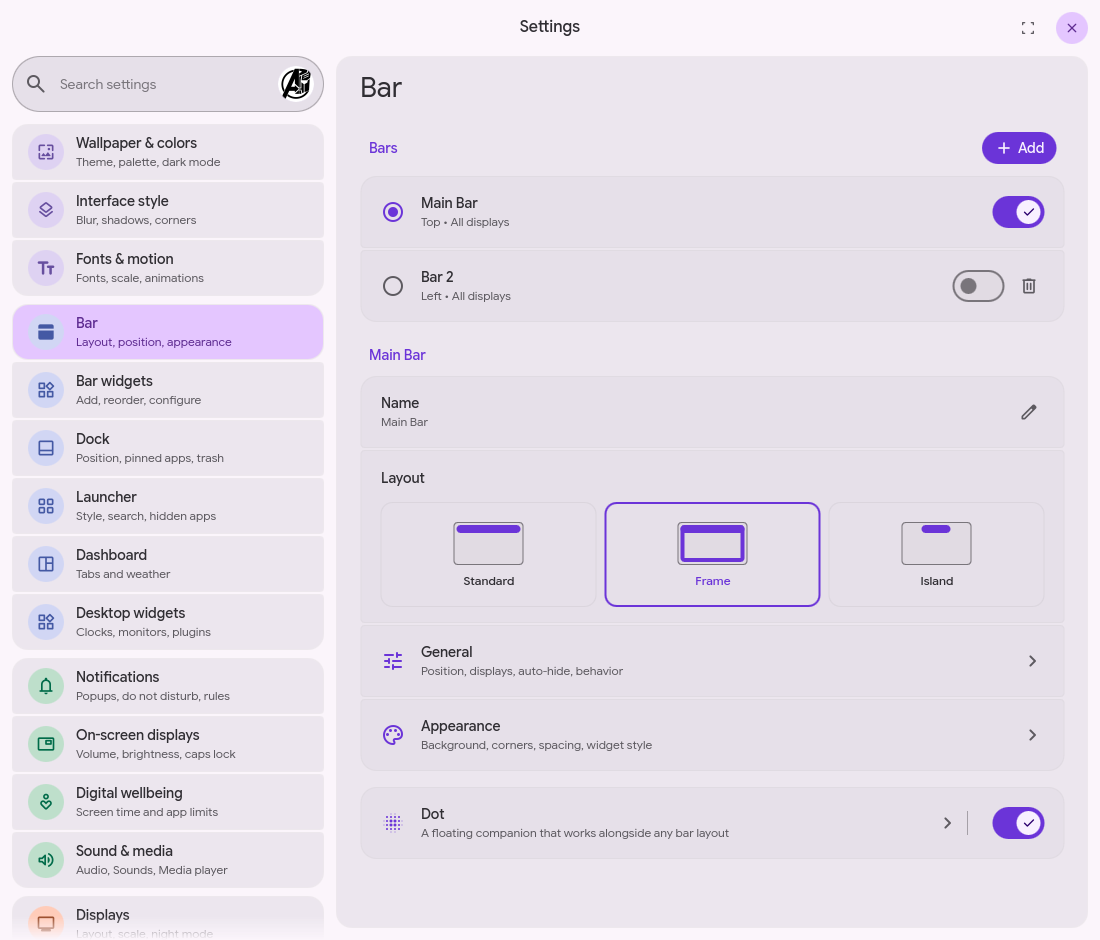
Dux Dot is a new dynamic island-style hub built around one persistent dot. It morphs into your launcher, dashboard, control center, media, weather, wallpaper, and notifications. Keep your existing IPCs and keybinds, or route them through the new bar settings.
It is a super minimal way to run DMS, and it stays out of your way. Clean, fast, fullscreen, and gamer-mode ready. Place it, or fling it, anywhere on the screen.
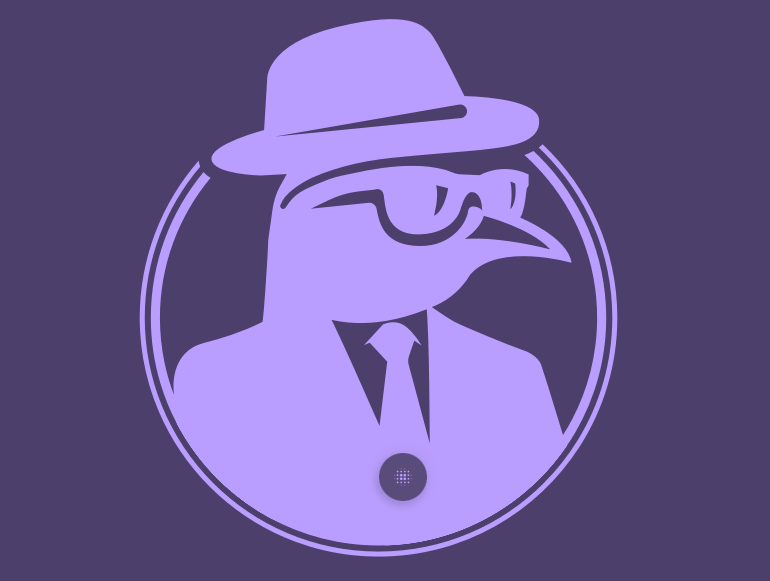
The island, anywhere
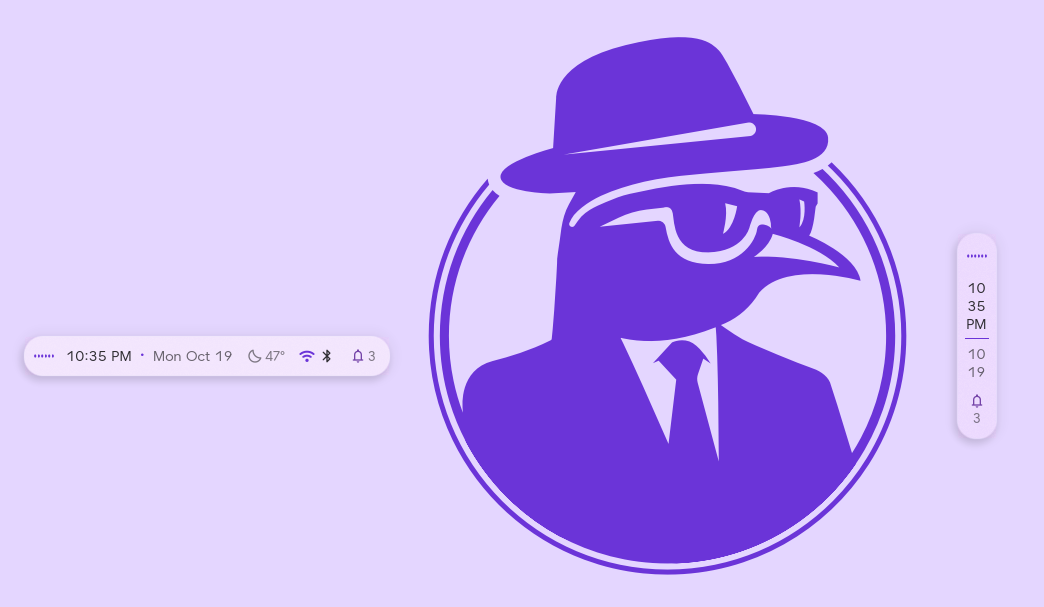
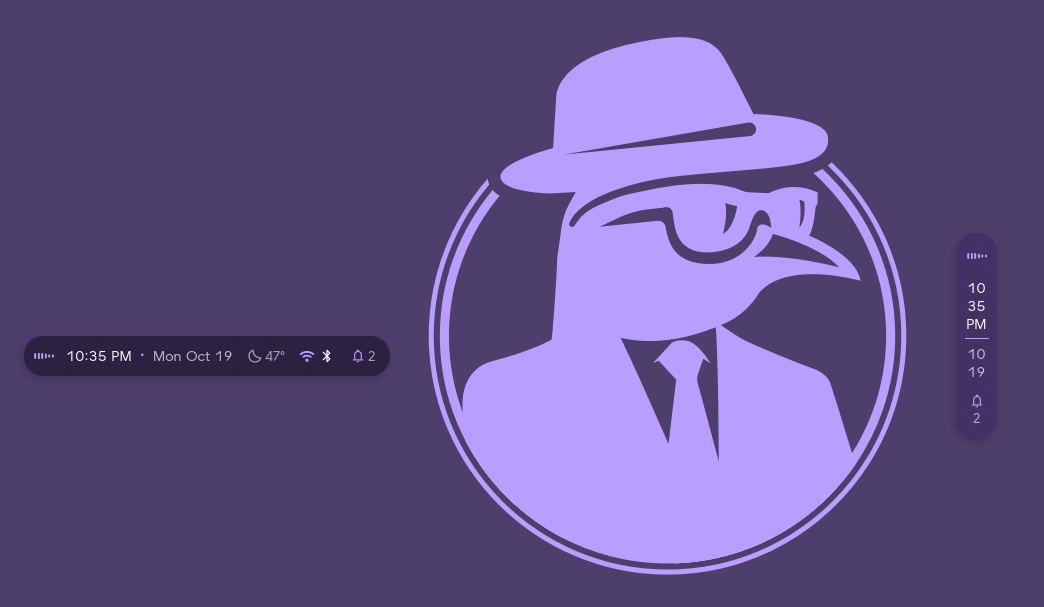
The island can now go in any bar as a widget, float anywhere on screen, run vertically, or tuck into the top of the display in notch mode.
The compact face holds more widgets, including media, weather, a workspace switcher, a privacy indicator, and a system tray. Volume, brightness, and other changes can show in the island instead of the usual on-screen display.
Bars that move like the island
Bars now use the same spring motion as the island, so size and corner changes ease into place instead of jumping.
Thickness can be fractional or fit to the widgets, and middle or right clicking empty bar space can run an action you pick.
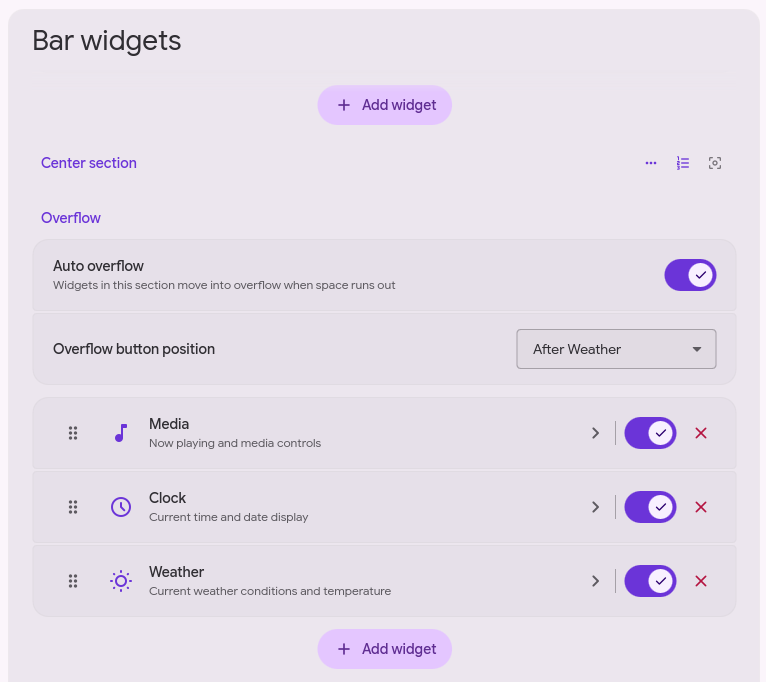
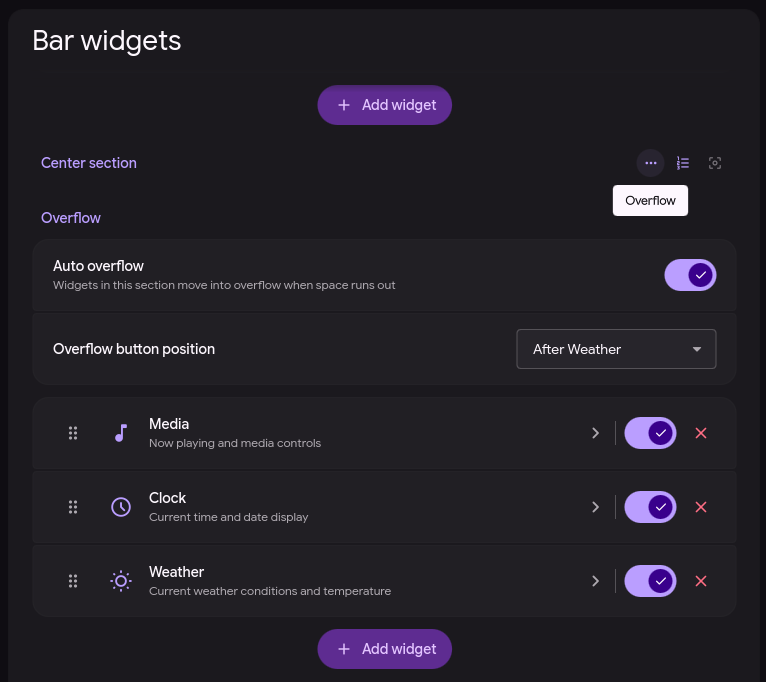
Each section can turn on auto overflow. Flexible widgets shrink first, and whatever still doesn't fit moves into an overflow menu. Per widget, set Placement to Auto, Keep in Bar, or Always in overflow.
Dock
The dock can be used as an OmegaDock now. Add more than one, put each on any edge, and choose a compact icon row or a taskbar.
Taskbar mode is new. The dock spans the whole edge, end to end. Compact mode is still a strip of icons.
The dock runs the same widgets as the bar, including plugins, so a clock, tray, media, workspaces, or anything a plugin provides can sit next to your apps. A widget can open as a popout or inline, where the dock grows and the panel sits beside the icons. Plugin authors provide that panel with attachedContent. See widgets in a dock.
Hover magnification scales the icon under the pointer and can push its neighbors aside, and the focused app can expand into a pill. The dock animates on the same spring as the island and the bars.


Control Center
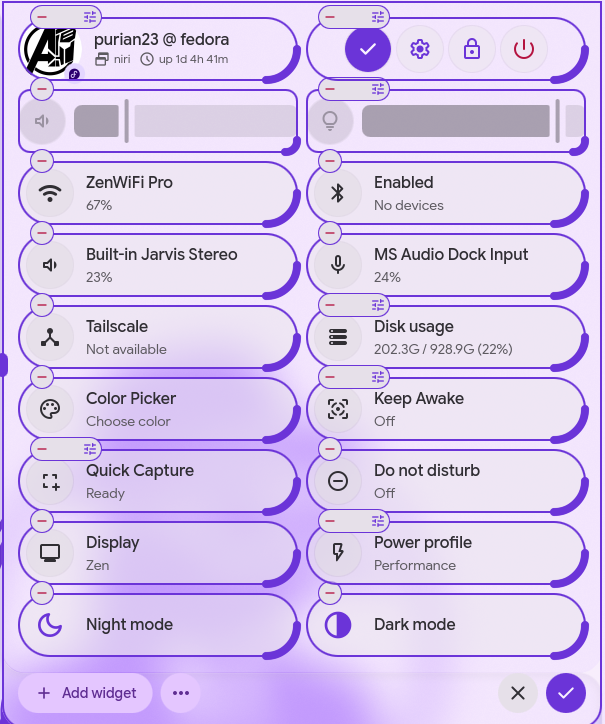
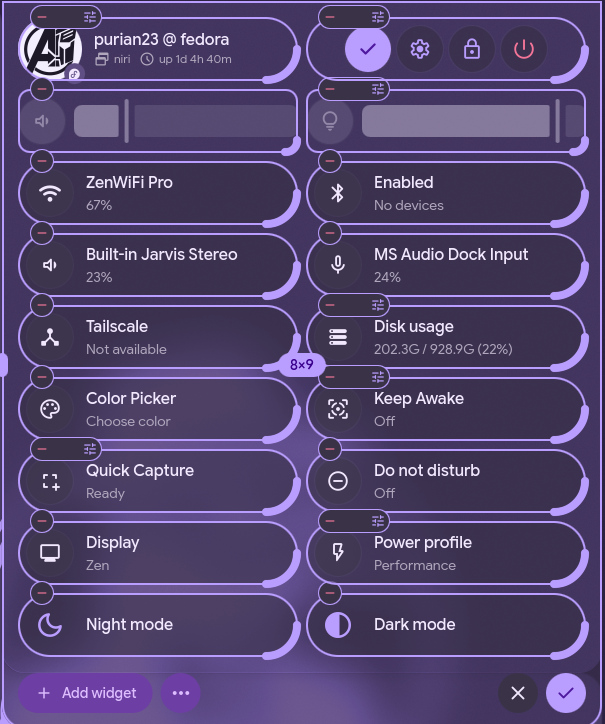
In the Control Center, tiles come in a smaller half-height size for tighter grids, and pill widgets like volume and brightness can be sized in half steps.
Digital Wellbeing
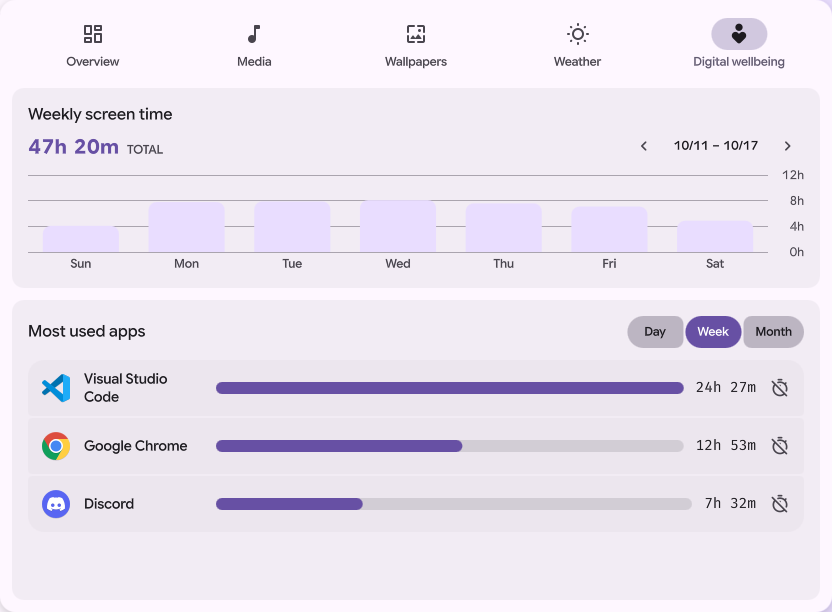
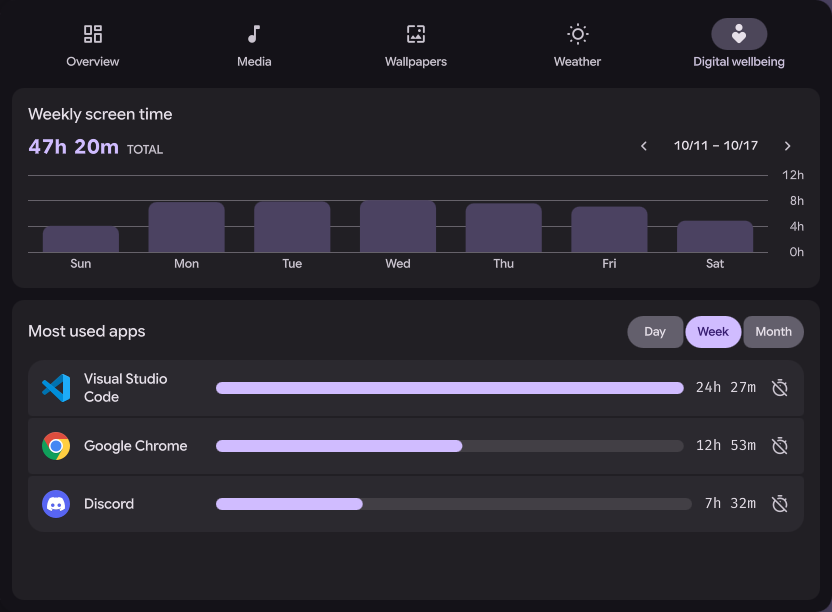
Dash has a new Digital Wellbeing tab. It tracks screen time, lets you set a daily limit and per-app limits, and tells you when you hit one. Scripts can read the same status over IPC.
niri
niri can turn the touchpad on and off. DMS shows the change on screen, and the default config binds the touchpad key to toggle-touchpad. Focus follows mouse works too.
Switching workspaces can show an on-screen display, window rules can set a column's width and height as a percentage, and connected displays can be cycled. A hidden bar gets out of the way while the overview is open, and a dock set to overview-only shows up there.
Hyprland and MangoWC
Hyprland catches up with 0.56: dwindle, master, and scrolling layouts with their own settings, special workspaces as scratchpads, and the new blur styles, glow, motion blur, and group tabs. Wobbly windows work on Hyprland git.
MangoWC 0.18 renamed its config keys to snake_case. DMS writes the new format, and dms config mango-migrate converts an existing config.
On both, mouse, touchpad, keyboard, and focus follows mouse are in Settings, and dms setup can start the shell from hyprland-session.target or mango-session.target.
Aqueous and Umbriel
Aqueous gets comprehensive support, and Umbriel gets basic support.
They join niri, Hyprland, MangoWC, Sway, labwc, and Miracle.
More in 2.0
- Launcher: dmenu mode, custom keybinds, app editing, VPN search, Open with for files, Flatpak uninstall, an option to focus a running window instead of launching a new one, and an option to turn off history.
- Workspaces: dot, line, and card indicators, a compact mode, and a minimum workspace count.
- Theming: bold color variants, wallpaper-tinted terminal colors with background opacity, Positron support, and a per-bar background color.
- Wallpaper: cycling can recurse into subdirectories.
- Audio: mono audio toggle.
- Network: Fortinet VPN with SAML and password auth.
- Settings: Alt+Arrow switches panes, touchpad click method, and
config.dto split settings across files. - Multiplexers: Herdr joins tmux and zellij.
- Blur: strength slider.
- Plugin browser: shelves, typo-tolerant search, detail pages, and one-click upvotes.
- Desktop widgets: editor improvements.
- Notifications: extra rule conditions, timed per-app mutes, hovered popups stay put, and
invokeLastover IPC. - Screenshots: snap to open popouts and Ctrl+C to copy without saving.
- Displays: per-output ICC color profiles and color temperature.
- System updates: floating window, Portage backend, highlighted upgrade logs, and a reboot prompt after kernel updates.
- Channels:
dms switch betamoves to beta packages after taking a backup, anddms switch stablegoes back. Name a package to switch only that one. See Switch channels. - Distros: official PikaOS support, Enterprise Linux 10 (RHEL, CentOS Stream, Rocky Linux, AlmaLinux), and native FreeBSD support.
New plugin types
Plugins can now add a tab or a card to Dash and sit in the dock, opening as a popout or a panel that grows the dock. Desktop plugins can also go on the lock screen. See the Dash plugin docs and widgets in a dock.
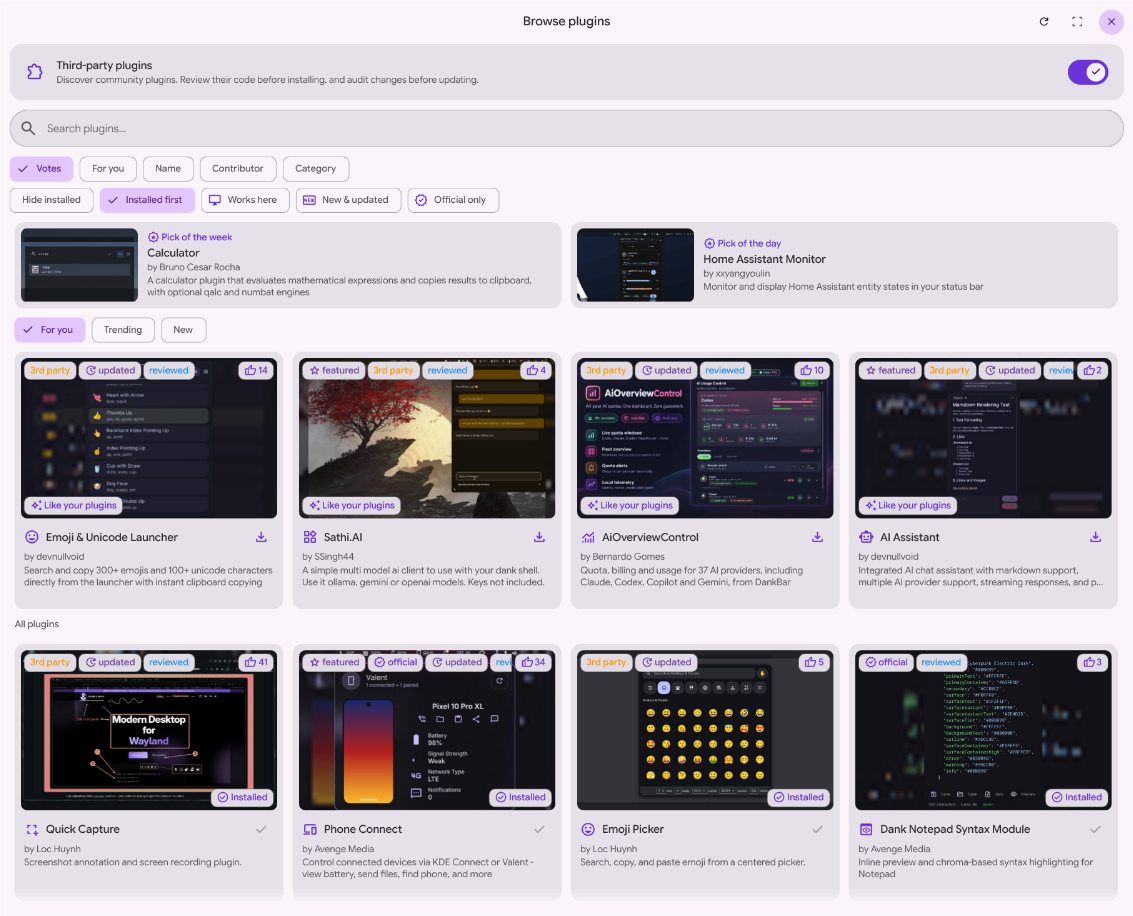
The plugin browser in Settings was rebuilt, led by lung595. It has a Discover page with shelves and daily and weekly picks, filters for your compositor, typo-tolerant search, detail pages, one-click upvotes, and undo after an uninstall.
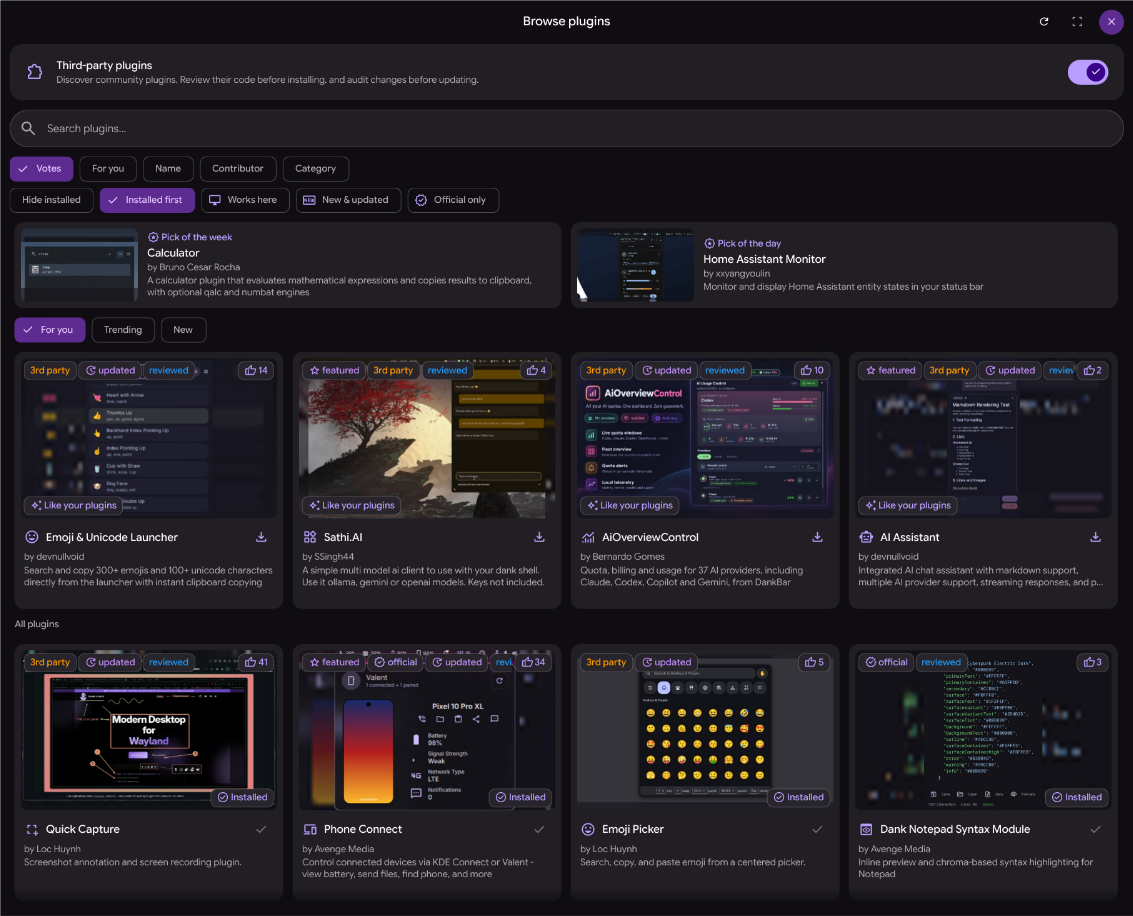
Update checks only flag a plugin when the remote has commits you don't have yet (Bernardo Gomes), and plugin state saves on the first change after a reload (Mario-Mohar).
The registry is past 380 plugins and 47 themes, up from 337 and 42 at 1.6. The most upvoted new plugins are Sands and Orbit Bluetooth by lung595, Screenshot+ by pcmid, MangoWM Layout Manager by omarluq, and Bitwarden Dankbar and DankChat by coldi1337. satoshoe-dev and by-architect each added six.
Upvote the plugins you use so other people find them.
Fixes and polish
Alongside the redesign, 2.0 carries 90+ bug fixes and quality-of-life improvements across the shell. Some of the ones you may notice:
View Details
- The fingerprint reader keeps working after closing the lid or suspending.
- The lock screen shows on every display when none is selected, and locks before sleep even when the sleep command skips logind.
- Monitors wake after an automatic lock.
- The shell takes the lock back when it restarts into a locked session.
- Tray icons no longer jump position when their properties change, and the tray keeps working across display reconnects.
- The island's pill no longer jumps sideways when the compact face switches.
- Hidden bar pills no longer catch clicks.
- The dock cycles grouped windows again, keeps its focused indicator in the niri overview, and drops orphaned surfaces when you delete a dock.
- iwd no longer asks for a Wi-Fi password twice, and Wi-Fi devices are rediscovered before scanning.
- Bridge, bond, team, and VLAN links count as wired under systemd-networkd.
- Tailscale follows profile switches.
- Bluetooth headset controls go to the active player.
- Refresh rate is restored after resume.
- Brightness retries the initial DDC read.
- Screenshot HUD and selection labels scale correctly on HiDPI displays, a saved screenshot can be copied as a file, and only one screenshot instance runs at a time.
- Screen captures no longer count as camera use in the privacy indicator.
- Scrolling song titles in the media widget no longer truncate.
- Wallpapers keep loading when the surface regenerates, and scrolling wallpapers render once they've decoded.
- Clipboard history decodes file URIs, large file copies no longer fail, and copied folders can be restored.
- The notepad keeps your notes across repeated saves.
- Hovered notification popups stay pinned, and the popup timer no longer restarts after the enter animation.
- Battery reports when a charge threshold isn't supported instead of pretending it worked.
- The sink volume no longer gets overwritten while you adjust it, and a missing event sound no longer breaks the rest.
- Pinned state is kept when you edit a launcher entry.
- The process list searches every process, not just the top 100.
- Plugin updates only show when the remote has something new, and plugins no longer get injected into app categories.
- Settings skips unchanged saves so edits you make outside the shell aren't swallowed.
dms doctorwarns when a Qt platform theme plugin targets a different Qt version.- The CLI times out instead of hanging when the DMS server doesn't answer.
- Logging out ends the logind session on compositors with no quit request.
- Update lists skip obsoleted dnf packages and collapse rows duplicated across repositories.
- Hyprland window rules use syntax Hyprland 0.56 accepts.
- Light-mode colors, KDE color scheme templates, and the kitty cursor color follow your theme more closely.
- Theme generation runs at low priority and regenerates once when the scheme or monitor changes.
- The calendar no longer repeats a day.
- ...and many, many more.
Upgrade Notes
(Breaking) App ID Change
The DMS app ID is now dev.duxlabs.shell, replacing com.danklinux.dms. The window rules DMS manages itself are updated automatically. If you wrote your own compositor window rules for DMS windows, update them to the new ID.
On niri, for example, this:
window-rule {
    match app-id=r#"^com\.danklinux\.dms$"#
    open-floating true
}
becomes:
window-rule {
    match app-id=r#"^dev\.duxlabs\.shell$"#
    open-floating true
}
Plugin authors: update your widgets
The old widget wrappers are deprecated and will be removed in a future release. Update the imports and the type names. The compatibility wrappers log a warning with the replacement to use.
For example, this:
import qs.Widgets

DankButton {
    text: "Open"
}
becomes:
import qs.DCommon.Widgets

DButton {
    text: "Open"
}
Some common replacements:
| Old type | New type in qs.DCommon.Widgets |
|---|---|
DankButton | DButton |
DankActionButton | DActionButton |
DankIcon | DIcon |
DankSlider | DSlider |
DankToggle | DToggle |
DankTextField | DTextField |
DankTabBar | DTabBar |
DankFlickable | DFlickable |
DankListView | DListView |
DankScrollbar | DScrollbar |
StyledText keeps its name and is also available from qs.DCommon.Widgets. Shell-specific types still live in qs.Widgets, so keep that import if your plugin uses them. Check the warning for each deprecated type rather than replacing every import blindly.
The replacements are in the shared widget library, and the compatibility wrappers show the old and new names.
Notes for Package Maintainers
DMS now lives at duxlabs-dev/dux-shell.
The desktop files and icon follow the new app ID, so update any install lines that name them:
| Old file | New file |
|---|---|
assets/com.danklinux.dms.desktop | assets/dev.duxlabs.shell.desktop |
assets/com.danklinux.dms.notepad.desktop | assets/dev.duxlabs.shell.notepad.desktop |
assets/com.danklinux.dms.svg | assets/dev.duxlabs.shell.svg |
Dux Calendar's assets moved the same way, from com.danklinux.dankcalendar.* to dev.duxlabs.calendar.*.
Binary names, systemd units, and the dms-open.desktop URL handler are unchanged.
Renaming packages to the new names is not required, but we'd prefer it:
| Old name | New name |
|---|---|
dms, DankMaterialShell, dms-shell | dux-shell |
dgop | dux-gop |
dankcalendar, dank-calendar | dux-calendar |
dank-greeter | dux-greeter |
The people behind it
DMS is founded and maintained by bbedward and purian23. Huỳnh Thiện Lộc has been a close and vital contributor, landing features, bug fixes, and ongoing plugin maintenance. Thank you to everyone else contributing code, plugins, translations, packaging, testing, and bug reports.
Thanks to LuckShiba and EricDraven for their NixOS work and community support.
Thank you to apollo79 and georgestafilidis, the two new designers who pioneered the design in 2.0 and much more daily!
A special thank you to everyone who supports Dux Labs through GitHub Sponsors and Ko-fi. Your support keeps this project going, and we're grateful for every one of you!
Community Contributions
600+ commits from 65 contributors since 1.6. Time for a callout:
Huỳnh Thiện Lộc landed 31 commits, including the dock's proximity magnification, neighbor push-apart, and animated focused-app pill, plus toggling the compositor overview from the dock's launcher button. He also brought the island's system tray slot and overflow menu, auto-hide for the island in overlay mode, and the niri workspace-switch OSD. On the screenshot side: touch and stylus region capture, snapping to open panels, Ctrl+C to copy without saving, and the --hud flag. Also the redesigned keybinds cheatsheet, Flatpak uninstall from the launcher, and recursive wallpaper cycling.
Also: per-output ICC color profiles and color temperature (KIDult2226), VPN search, do-not-disturb while screen sharing, and timed idle inhibitor presets (avesst), gamma exceptions for fullscreen and excluded apps (euletheia), and native FreeBSD support (Zer0TraceX).
All Contributions
| Contributor | Contribution |
|---|---|
| 0xdeafbeef | Cycle connected displays on niri (PR #3362) |
| 14Do | • Collapse dnf rows duplicated across repos (PR #3524) • Skip the obsoleted packages in dnf output (PR #3525) |
| aarshivv | Display config: read live layout from hyprland instead of the cached wlr snapshot (PR #3418) |
| al-ula | App picker: strip desktop suffix when resolving mime handlers (PR #3710) |
| aldair-meneses | Add configurable middle and right click actions on empty space (PR #3582) |
| alexhulbert | Add shadow to island and satellites when shadow is turned on (PR #3798) |
| alvarosth | • Take the lock back when the shell restarts into a locked session (PR #3685) • Let the CLI policy turn the registries off (PR #3703) |
| Aman9das | Add positron as a vscode fork (PR #3507) |
| apollo79 | • Add a link to the source code in plugin details (PR #3690) • Add seek-to-line on clicking lyrics line (PR #3823) • Add rotating cookie album style (PR #3819) • Align with m3e spec (PR #3689) |
| arfan21 | • Add Word, Spreadsheet, Presentation, Archive app default (PR #3580) • Expand vscode syntax and semantic token colors (PR #3686) |
| artrixdotdev | Show headphones icon for bluetooth headset (PR #3783) |
| arya-satwika | Improved readability on buttons (PR #3481) |
| avesst | • Support fortinet vpn with saml and password auth (PR #3384) • Add vpn connections as a search provider (PR #3391) • Idle inhibitor: add duration presets and timed expiry (PR #3344) • Auto-enable do not disturb while screen sharing (PR #3316) • Stop counting screen captures as camera use (PR #3428) |
| bernardopg | • Warn when a qt platform theme plugin targets another qt minor (PR #3771) • Only flag updates when remote head is not contained in local history (PR #3778) |
| centifanto | Release hidden slideout input mask (PR #3500) |
| chenshifanjian | Decode file uris and stop failing oversized file copies (PR #3598) |
| cmleon51 | • Explain why the autostart settings page is empty (PR #3754) • Dim outputs without a backlight or ddc through gamma (PR #3813) |
| Conava | • Terminal background opacity and wallpaper-tinted colors (PR #3662) • Open media and the power menu in one step (PR #3756) |
| cwelsys | • Only re-enable displays the cycle itself turned off (PR #3377) • Stop hidden pills from catching clicks (PR #3488) |
| davidjmdev | Make popout reopen after terminal upgrade optional (PR #3307) |
| dionjoshualobo | Mono audio toggle (PR #3539) |
| domenkozar | Use available width for menu labels (PR #3456) |
| EmiOnFlux | Add portage backend (PR #3676) |
| enchanteddev | • Added middle-click to play/pause media and mute audio (PR #3332) • Added option to choose the control center icon to be either Battery gauge or Connectivity (PR #3342) |
| euletheia | Night mode exceptions (PR #2809) |
| ezemtsov | Network(networkmanager): rebuild the Wi-Fi list once per scan (PR #3818) |
| FengYing1314 | Use plugin ids for management actions (PR #3284) |
| guillemcanal | • Allow users to customize launcher keybindings (PR #3800) • Add "Open with..." action to file search results (PR #3801) |
| hattapauzi | Lock before sleep when the command skips logind (PR #3587) |
| hkoeck | Show the prompt PAM actually asked for (PR #3691) |
| hthienloc | • Add workspace switch OSD for niri (#1756) (PR #3337) • Add touch & stylus support for region capture (PR #3353) • Add flatpak uninstall option in context menu (PR #3340) • Add flag to control HUD scale and visibility (PR #3398) • Show edit window rule when rule exists (PR #3516) • Redesign cheatsheet with category navigation (PR #3534) • Snap to active popouts & modals in region mode (PR #3618) • Add customizable proximity icon magnification (PR #3625) • Expand focused app indicator into animated pill (PR #3640) • Add Ctrl+C shortcut to copy w/o saving (PR #3645) • Push neighboring icons apart on magnification (PR #3681) • Toggle compositor overview on launcher button right-click (PR #3694) • Allow recursive cycling through subdirectories (PR #3739) • Support auto-hide for island in overlay mode (PR #3772) • Add system tray slot and overflow menu to compact home (PR #3780) • Overflow menu & context menu to Dpopout (PR #3239) • Credit Reverier-Xu/Ori-fcitx5 for fcitx5 theme inspiration (PR #3510) • Update Ko-fi support link in README (PR #3578) |
| ignacypekala | Add support for multiple config files (PR #3425) |
| iperegkefalos | Add touchpad click method in settings (PR #3356) |
| jetersen | Rediscover wifi devices before scanning (PR #3821) |
| KadirJeager | • App drawer: open the context menu at the click position (PR #3697) • Hide include setup banners on compositors without includes (PR #3699) • Send the vrr setting on the wlr-output path (PR #3701) • Workspace rename: prefill the focused workspace name on hyprland (PR #3698) • End the logind session on logout when the compositor has no quit request (PR #3700) |
| KIDult2226 | Per-output ICC color profiles and color temperature (PR #3388) |
| koopa1338 | Inject external color palettes into matugen (PR #3509) |
| korbash | • Allow popouts from bars revealed in overview (PR #3592) • Restore cycling through grouped windows (PR #3637) • Use the current dms executable for matugen (PR #3648) • Keep focusedWorkspaceId in sync with niri's focused workspace (PR #3713) • Use explicit shell readiness (PR #3514) |
| LarsArtmann | Timed per-app popup mutes (1h / 4h) (PR #3628) |
| li-yuanfei | • Create screenshot directory lazily (PR #3286) • Retry initial DDC read (PR #3287) |
| lingdiansr | Identify codecs from the profile description (PR #3643) |
| lostdata2 | Pulse the critical bar indicator (PR #3596) |
| LuckShiba | Add nix-vendor-hash pre-commit hook (PR #3521) |
| lung595 | • Wrap long ToggleSetting labels instead of drawing under the toggle (PR #3744) • Ranking module and directory metadata for the plugin browser (1/3) (PR #3751) • Discover shelves, quick filters and typo-tolerant search in the browser (2/3) (PR #3752) • Detail page actions, one-click upvote, author page and undo after uninstall (3/3) (PR #3753) |
| marcusramberg | Expose signal strength and conn type (PR #3533) |
| Mario-Mohar | • Add invokeLast ipc to run the newest notification's default action (PR #3734) • Skip the clear confirmation when there is nothing to clear (PR #3730) • Stop treating BAMF_DESKTOP_FILE_HINT as a snap marker (PR #3729) • Write the first state save after a reload (PR #3733) • Search every process, not just the top 100 by cpu (PR #3763) • Color picker: remove recent colors with a hover button, delete or backspace (PR #3764) |
| matthewyjiang | • Add Herdr backend (PR #3531) • Reboot into a chosen EFI boot entry (PR #3568) • Let quickshell run tools from ~/.local/bin under systemd (PR #3575) |
| MishowHD | Handle profile switches and bus updates reactively (PR #3427) |
| neofion | Keyboard layout: add user-editable label overrides for compact mode (PR #3503) |
| njfletcher215 | • Added launcher dmenu mode (PR #3639) • Matugen on startup toggle (PR #3270) |
| nofuturekid | Allow extra conditions per rule (PR #3683) |
| Pedroj-64 | • Network(iwd): follow the Wi-Fi device when iwd recreates it (PR #3707) • Network(networkd): treat bridge, bond, team and vlan links as wired (PR #3706) |
| Perdixky | Add focus follows mouse toggle (PR #3755) |
| phoropter | Update vesktop.css (PR #3410) |
| satoshoe-dev | • Skip unchanged saves so external edits are not swallowed (PR #3504) • Pick the DankCommon translation for the chosen locale (PR #3505) |
| schmidma | Route headset controls to the active player (PR #3273) |
| skamprogiannis | • Wake monitors after automatic lock (PR #3633) • Prevent repeated saves from erasing notes (PR #3684) |
| SpyrosPsarras | Network monitor: add hide when idle and compact mode options (PR #3569) |
| tassiovirginio | Recover SNI items orphaned at first boot (PR #3570) |
| tomecarvalho | Add "hide on last display" option (PR #3816) |
| wowo101 | Restore copied folders from history (PR #3695) |
| Zer0TraceX | Add initial native FreeBSD support (PR #3559) |
| ZoeyErinBauer | Add support for shelly (PR #3367) |
Thanks also to the translators, package maintainers, plugin and theme authors, and everyone testing builds and reporting bugs. If we missed you, let us know on Discord or GitHub.
The repositories
2.0 is the rebrand. The package repositories move next.
New Dux Labs repositories are almost ready to replace the AvengeMedia and DankLinux ones. Shortly after this release, 2.0.1 will move installs and updates onto them, including dankinstall. Existing users will run dms migrate dux to point their distro's repositories at Dux Labs. Until that ships, keep the repositories you already have.
Resources
Get started with DMS
Thank you.
To everyone contributing code, translations, plugins, packaging, feedback, sponsorships, and donations. DMS is here because of you.