Dux Labs
Dux Files
Dux Files
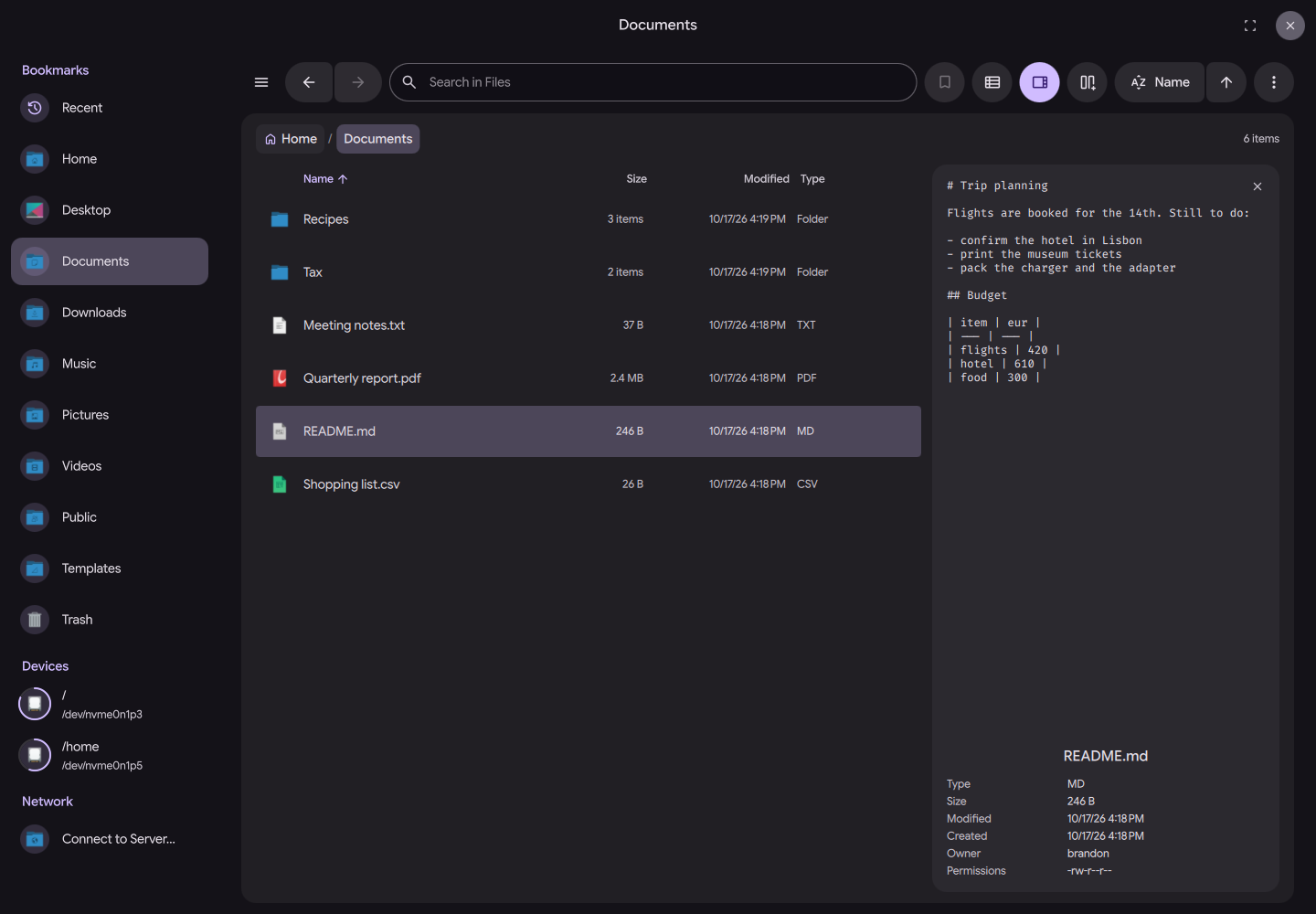
Dux Files is a free, open-source file manager for Linux. It runs as a small daemon with a Quickshell window on top, shares the look and feel of Dux Shell, and follows its theme automatically when both run. dfiles is Dux Files' command-line name.
Built with Quickshell and Go. The daemon is pure Go with no cgo.
Features
- Tabs, Split View and Three Views: List, grid and column views, tabs you can reorder and reopen, and a second pane for moving files between folders.
- Preview Drawer: Press Space to preview the selection beside the file list.
- File Operations Done Right: Copy, move, rename, link, duplicate, trash and delete with progress, conflict prompts, undo and redo. New folder with selection and paste an image straight from the clipboard.
- Archives Without Tools: Extract zip, tar (gzip, bzip2, xz, zstd, lzma), 7z, rar and cpio, and create zip, tar.gz, tar.xz and tar.zst archives. All of it in-process.
- Search: Search the folder, your home or everywhere, with type, date and size filters, fuzzy matching and gitignore-aware walks. When Dux Search runs, its index answers name and content searches.
- Trash and Recent: A trash view across every mounted volume with restore and empty, and a recent files view.
- Devices and Network: Mount, unmount, eject and unlock LUKS drives through udisks2. Connect to SFTP, SMB, FTP, WebDAV, NFS and AFP shares, phones and cameras through gvfs.
- Bookmarks and Folder Jump: Sidebar bookmarks with a one-click GTK bookmark import, and a frecency-ranked jump to folders you have visited.
- Open With: A ranked Open With dialog with recent apps, default application changes, and open in terminal.
- Retry as Administrator: Denied operations offer a retry through polkit instead of failing.
- Desktop Integration: Owns
org.freedesktop.FileManager1so browsers and other apps reveal files here, and can serve every app's open and save dialogs as the desktop portal's file chooser backend. - Keyboard First: Every action has a shortcut, with an optional vim key layer, type-ahead, and a shortcuts overlay on
?. - Per-Folder Memory: Sort order and list or grid view are remembered per folder. Column view stays on as you browse.
- Thumbnails: Images decode in-process. Other formats go through the system's freedesktop thumbnailers, each run inside a bubblewrap sandbox.
- Localized: User-facing strings are translatable and managed through POEditor, with right-to-left layout mirroring.
Documentation
- Installation - Install dfiles, run it at login, make it the default file manager
- Usage - CLI commands for windows, trash, mime types, devices and search
- Desktop Integration - FileManager1, the portal file chooser, and URIs
- Keyboard - Every shortcut, plus the vim key layer
- Settings - What each setting does and where it lives
- IPC - Scriptable IPC surface for keybinds and automation
Contributing
dfiles is open source and welcomes contributions. Bug fixes, features and translations all help:
- Source Code: GitHub Repository
- Issues: Report bugs and request features on GitHub
- Translations: Strings are managed through POEditor. See CONTRIBUTING.md
License
dfiles is released under the MIT License. See the LICENSE file for details.