Custom Themes
Dux Shell
Custom Themes
Dux Shell supports custom color themes using arbitrary color schemes. You can create your own themes or use pre-made ones.
Theme Structure
Custom themes are defined in JSON files that generally map to matugen color keywords. Themes can have separate dark and light variants, or use a single color scheme for both modes.
Complete Theme Example
{
  "dark": {
    "name": "Cyberpunk Electric Dark",
    "primary": "#00FFCC",
    "primaryText": "#000000",
    "primaryContainer": "#00CC99",
    "secondary": "#FF4DFF",
    "surface": "#0F0F0F",
    "surfaceText": "#E0FFE0",
    "surfaceVariant": "#1F2F1F",
    "surfaceVariantText": "#CCFFCC",
    "surfaceTint": "#00FFCC",
    "background": "#000000",
    "backgroundText": "#F0FFF0",
    "outline": "#80FF80",
    "surfaceContainerLowest": "#0A0A0A",
    "surfaceContainerLow": "#152315",
    "surfaceContainer": "#1A2B1A",
    "surfaceContainerHigh": "#264026",
    "surfaceContainerHighest": "#33553F",
    "error": "#FF0066",
    "warning": "#CCFF00",
    "info": "#00FFCC",
    "matugen_type": "scheme-expressive"
  },
  "light": {
    "name": "Cyberpunk Electric Light",
    "primary": "#00B899",
    "primaryText": "#FFFFFF",
    "primaryContainer": "#66FFDD",
    "secondary": "#CC00CC",
    "surface": "#F0FFF0",
    "surfaceText": "#1F2F1F",
    "surfaceVariant": "#E6FFE6",
    "surfaceVariantText": "#2D4D2D",
    "surfaceTint": "#00B899",
    "background": "#FFFFFF",
    "backgroundText": "#000000",
    "outline": "#4DCC4D",
    "surfaceContainerLowest": "#FAFFFA",
    "surfaceContainerLow": "#F9FFF9",
    "surfaceContainer": "#F5FFF5",
    "surfaceContainerHigh": "#EBFFEB",
    "surfaceContainerHighest": "#E1FFE1",
    "error": "#B3004D",
    "warning": "#99CC00",
    "info": "#00B899",
    "matugen_type": "scheme-expressive"
  }
}
Single Mode Theme
For themes without light/dark variants, define colors at the top level:
{
  "name": "Theme Name",
  "primary": "#eeeeee",
  "primaryText": "#000000",
  "surface": "#ffffff",
  "surfaceText": "#000000",
  "background": "#f5f5f5",
  "backgroundText": "#000000",
  "outline": "#cccccc",
  "matugen_type": "scheme-tonal-spot"
}
Required Color Properties
Primary Colors
primary- Main accent color for buttons, highlights, and active statesprimaryText- Text color contrasting with primary backgroundprimaryContainer- Variant of primary for containers. Exported to app templates as is. DMS paints a softer container derived fromprimary, seesoftPrimaryContainerunder Derived colors
Secondary Colors
secondary- Supporting accent color for variety and hierarchysurfaceTint- Tint color applied to surfaces (usually derived from primary)
Surface Colors
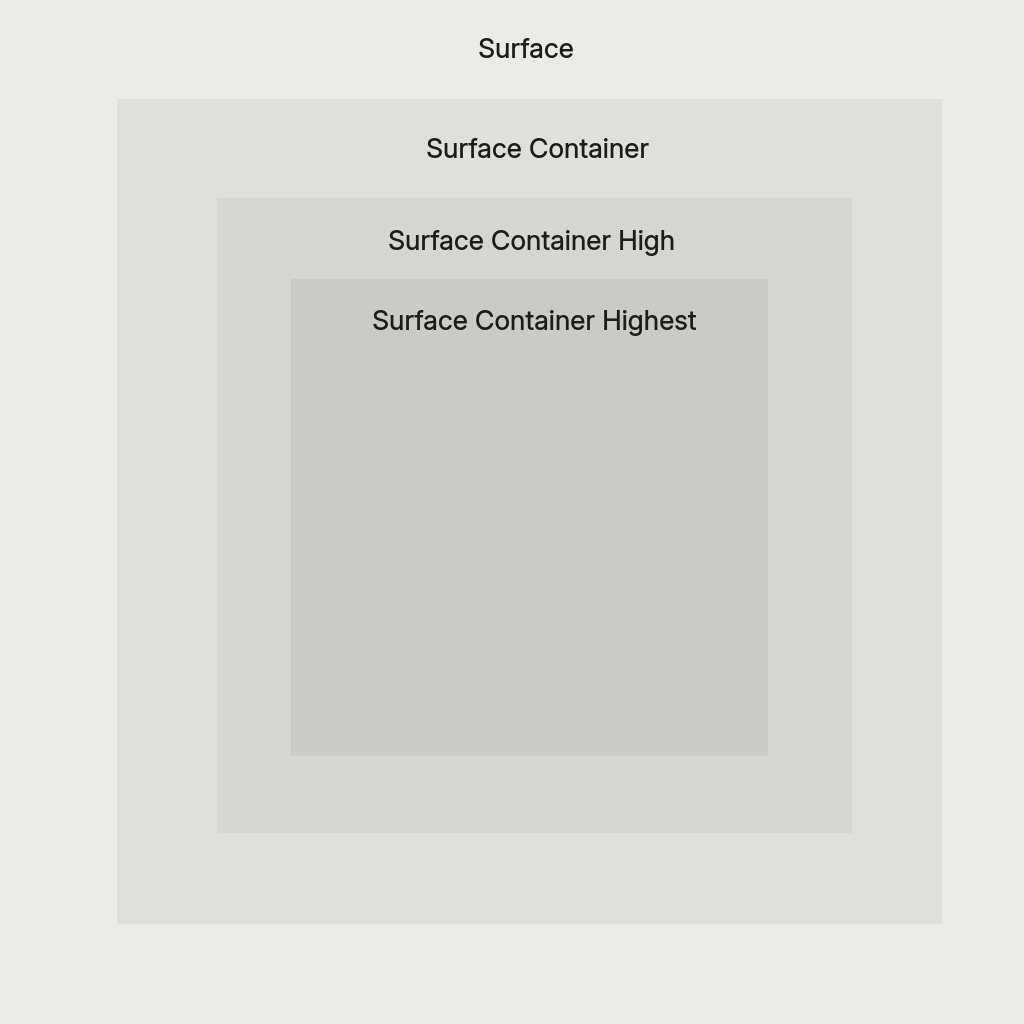
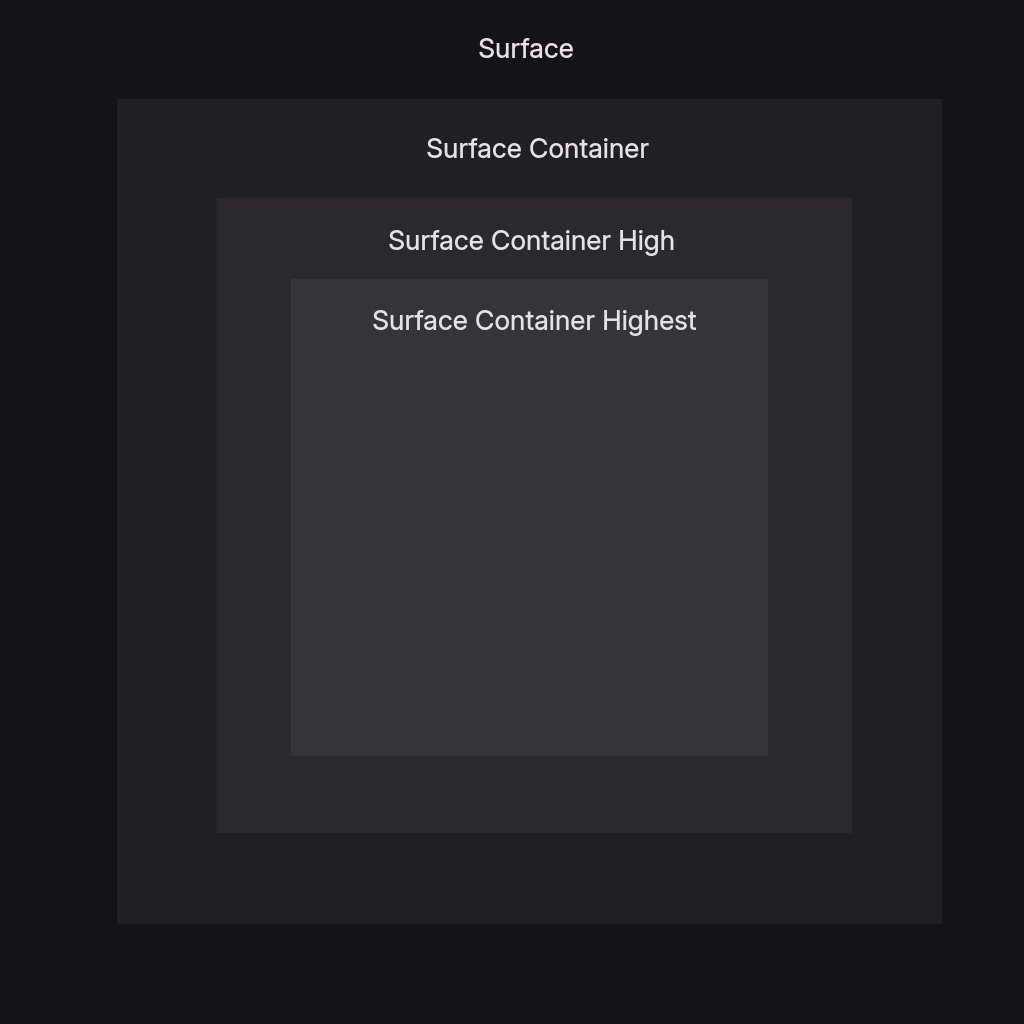
surface- Default surface color for cards and panelssurfaceText- Primary text color on surface backgroundssurfaceVariant- Alternate surface for subtle differentiationsurfaceVariantText- Text color for surfaceVariant backgroundssurfaceContainerLowest- Lowest elevation container (darkest in dark mode, lightest in light mode) — matugen-only, see note belowsurfaceContainerLow- Low elevation container, between surface and surfaceContainer — matugen-only, see note belowsurfaceContainer- Container surface, slightly different from surfacesurfaceContainerHigh- Elevated container for layered interfacessurfaceContainerHighest- Highest elevation container for top-level surfaces
DMS paints its containers through four semantic roles instead of picking these tokens directly: hostSurface (surface) for anything floating over the desktop, cardSurface (surfaceContainer) for the first container inside a host, chipSurface (surfaceContainerHigh) for a container inside a card, and chipSurfaceNested (surfaceContainerHighest) for a chip inside a nested row. The tokens are exported unchanged and keep their palette meaning, so a theme that sets them shifts the whole ladder with them.
A few keys complete the Material palette but aren't rendered by DMS's own UI —
currently surfaceContainerLowest, surfaceContainerLow, and backgroundText. They are
still required and are exported to matugen templates (VS Code, KDE, Firefox, Zed, etc.), so
external apps themed by DMS use them even though the shell does not.
Background Colors
background- Main background color for the interfacebackgroundText- Text color for background areas — matugen-only, see note above
Outline
outline- Color for subtle borders, dividers, muted icons, and extra subtle text
Optional Properties
Derived colors
Everything below is derived from the required keys when a color set leaves it out. A value you set is used as is, never adjusted, even when it fails a contrast check. Derivation only fills gaps. The one exception is onPrimaryContainer on a derived softPrimaryContainer, described below.
surfaceContainerHighest- falls back tosurfaceContainerHighsurfaceBright-surfacein light mode,surfaceContainerHighestin dark modesurfaceDim-surfaceContainerin light mode,backgroundin dark modeoutlineVariant-outlineat 60% opacitysecondaryContainer,tertiaryContainer-surfaceContainerHighblended 35% towardsecondary/tertiarysoftPrimaryContainer- the tinted fill DMS paints wherever a primary container appears: clock and weather cards, badges, icon boxes, floating action buttons. Derived as a mix of two colors at one tone, 16 abovesurfaceContaineron dark surfaces (30 at least) and 4 below it on light ones (90 at most):surfaceContainerlifted to that tone, andprimaryat that tone with its HCT chroma capped at 48. Fading toward your surface instead of grey keeps the accent reading as its own hue on tinted surfaces.primaryContainerdoes not feed it, because many themes use that key as a second accentcontainerTint- the share ofprimaryin that mix, from0to1. Defaults to0.5on dark surfaces and1on light ones. Lower reads more pastel,0is your surface at the container tone. Users scale it with Settings → Interface style → Container saturationonPrimaryContainer,onSecondaryContainer,onTertiaryContainer- the first ofsurfaceText,surface, white, black that reads at 4.5:1 on the container. AnonPrimaryContaineryou set was written forprimaryContainer, so on the derivedsoftPrimaryContainerit is kept only when it reads at 4.5:1. SetsoftPrimaryContaineras well and both are used as isinverseSurface,inverseOnSurface-surfaceTextandsurfaceswappedselectedContainer- the fill behind the selected item of every list (launcher rows, settings rows and sidebar, control center lists, dropdowns, context menus, file browser). Derived assecondaryContainerwhen you set it and bothonSecondaryContainerandsurfaceTextread on it at 4.5:1, otherwisesurfaceContainerHightinted 20% towardprimary, backed off untilsurfaceTextreads at 4.5:1selectedContainerTint- the tint amount used by that fallback,0.2by defaultonSelectedContainer- text and icons onselectedContainer. Derived as the readable pick when you setselectedContainer, elseonSecondaryContainerorsurfaceTextfollowing the branch aboveaccentOnSelectedContainer,accentOnPrimaryContainer- accent glyphs on those containers:primarywhen it reads at 3:1, else the container's on-color
Accents
Category badges, such as the settings sidebar icons, use a small set of categorical colors derived from primary: fixed hues nudged toward the primary hue, saturation following the primary, lightness fixed per mode so the glyph stays readable. Add an accents object to a color set to pick your own hues. Each value sets the hue and saturation of that slot; DMS still derives the fill and glyph lightness. Slots you leave out are derived.
{
  "accents": {
    "red": "#fb4934",
    "orange": "#fe8019",
    "yellow": "#fabd2f",
    "green": "#b8bb26",
    "teal": "#8ec07c",
    "blue": "#83a598",
    "purple": "#d3869b",
    "pink": "#d3869b"
  }
}
Semantic Colors
error- Error states, delete buttons, critical warningswarning- Warning states and caution indicatorsinfo- Informational states and neutral indicators
Matugen Type
The matugen_type property controls the color scheme algorithm used for system app theming. Default is scheme-tonal-spot if not specified.
Available options:
scheme-content- Content-based color extractionscheme-expressive- Expressive, vibrant color schemesscheme-fidelity- High fidelity to source materialscheme-fruit-salad- Colorful, fruit salad-like schemesscheme-monochrome- Monochromatic color schemesscheme-neutral- Neutral, subdued color schemesscheme-rainbow- Rainbow-like color schemesscheme-smart- Picks the variant automatically from the wallpaper (requires matugen 4.2+)scheme-tonal-spot- Tonal spot color schemes (default)
Example Themes
The official registry carries dozens of themes in this format. Browse them in Settings → Theme & Colors, or copy a theme.json as a starting point.
Applying Custom Themes
Via Settings UI
- Open Settings → Theme & Colors
- Select Custom from the theme dropdown
- Choose your theme file path
Via Configuration File
Edit ~/.config/DankMaterialShell/settings.json or ~/.config/DankMaterialShell/config.d/*.json:
{
  "currentThemeName": "custom",
  "customThemeFile": "/path/to/mytheme.json"
}
Live Editing
Custom theme files are reactive - editing the JSON file automatically updates the shell if it's the currently active theme.
Theme Development Tips
- Start from examples: Use the pre-built themes as templates
- Adjust incrementally: Change one color at a time to see the impact
- Test both modes: If providing dark/light variants, test both thoroughly
- Consider contrast: Ensure text colors have sufficient contrast with backgrounds
- Experiment with matugen_type: Different schemes work better with different color palettes
- Version control: Store themes in your dotfiles for easy synchronization
Distributing Themes
To share themes with others, publish them in a registry — a Git repository with a themes/<theme-id>/theme.json layout. Users add it with dms registry add or via Settings → Plugins → Registries, and your themes appear in their theme browser alongside the official ones. See Custom Registries for the format and resolution rules, or submit to the official dms-plugin-registry.